
Is all Dynamics 365 CE customization really low-code?
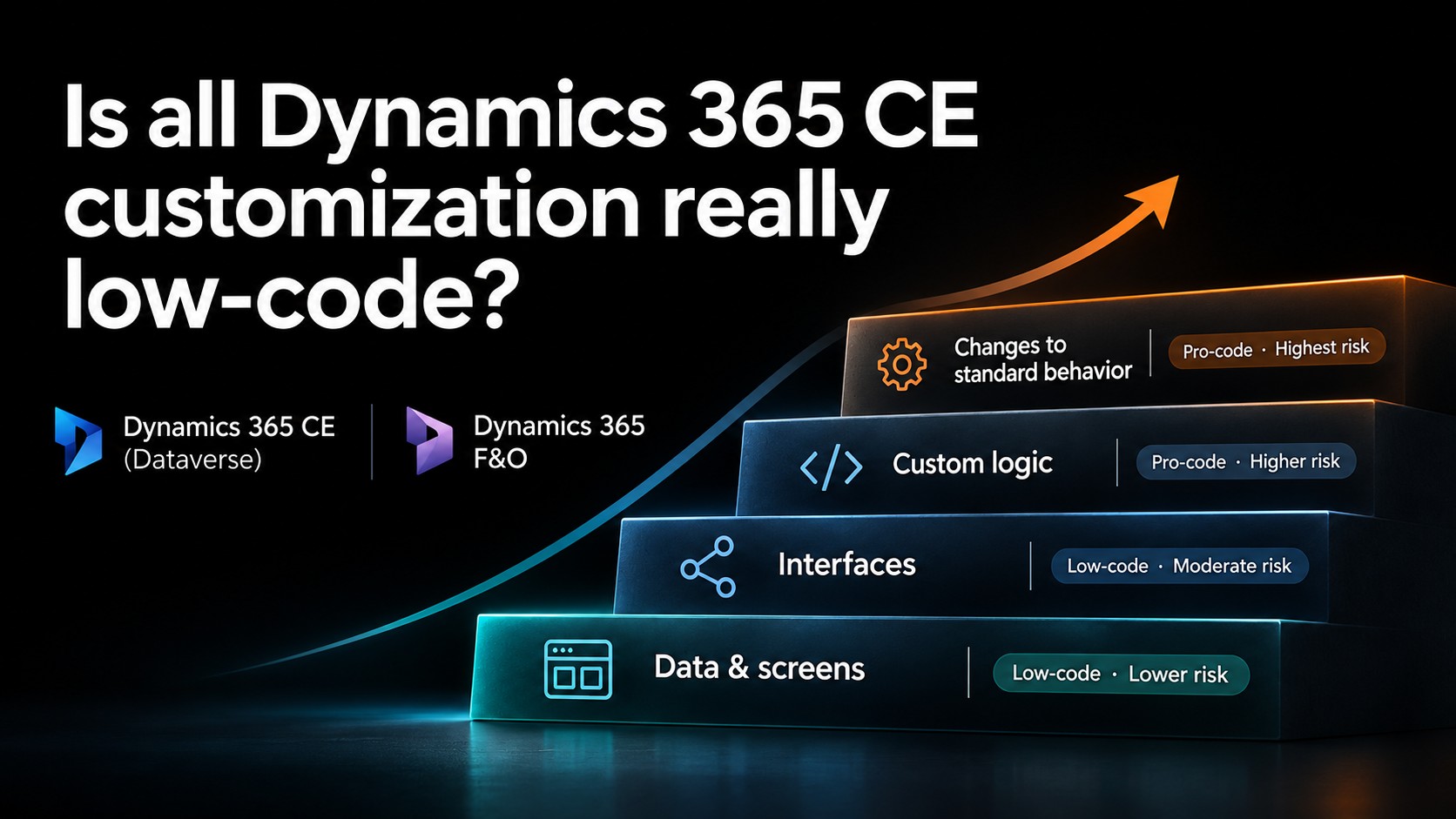
“Don’t touch F&O. We’ll build it in CE, that’s low-code.”
Customers hear that from Microsoft partners regularly, and I understand where it comes from. A change in Finance & Operations means X++, a build and a deployable package. CE feels lighter: a few changes in the maker portal, a solution import, done. Low-code. Low risk, right?
The honest answer: not necessarily. There’s more nuance to it. It depends on what you build in CE, and how.
It can even get worse. If you build in CE while the business rule still lives in F&O (see my previous post, Keep Dynamics 365 F&O standard. But where should the business logic live?), you may have to change three places whenever the business needs a change: CE, F&O and the interface in between. What was sold as low-code and low-risk then turns out to be a real challenge at every upgrade, and a real limit on your business agility.
Four levels of customization
On a recent project, I made the customer aware of the real effort and risk simply by classifying all F&O and CE customizations into four levels. The higher the level, the more test work you take on with every update Microsoft ships. Setup, such as parameters and security, falls outside this classification.
The first level is data and screens: your own tables, columns, forms and layouts. The second is the interface: your own APIs, events and integration maps to other systems. The third is your own logic next to the standard, such as jobs, actions and rules that call standard functions. The fourth changes standard behaviour: code that hooks into a standard function and alters what it does.
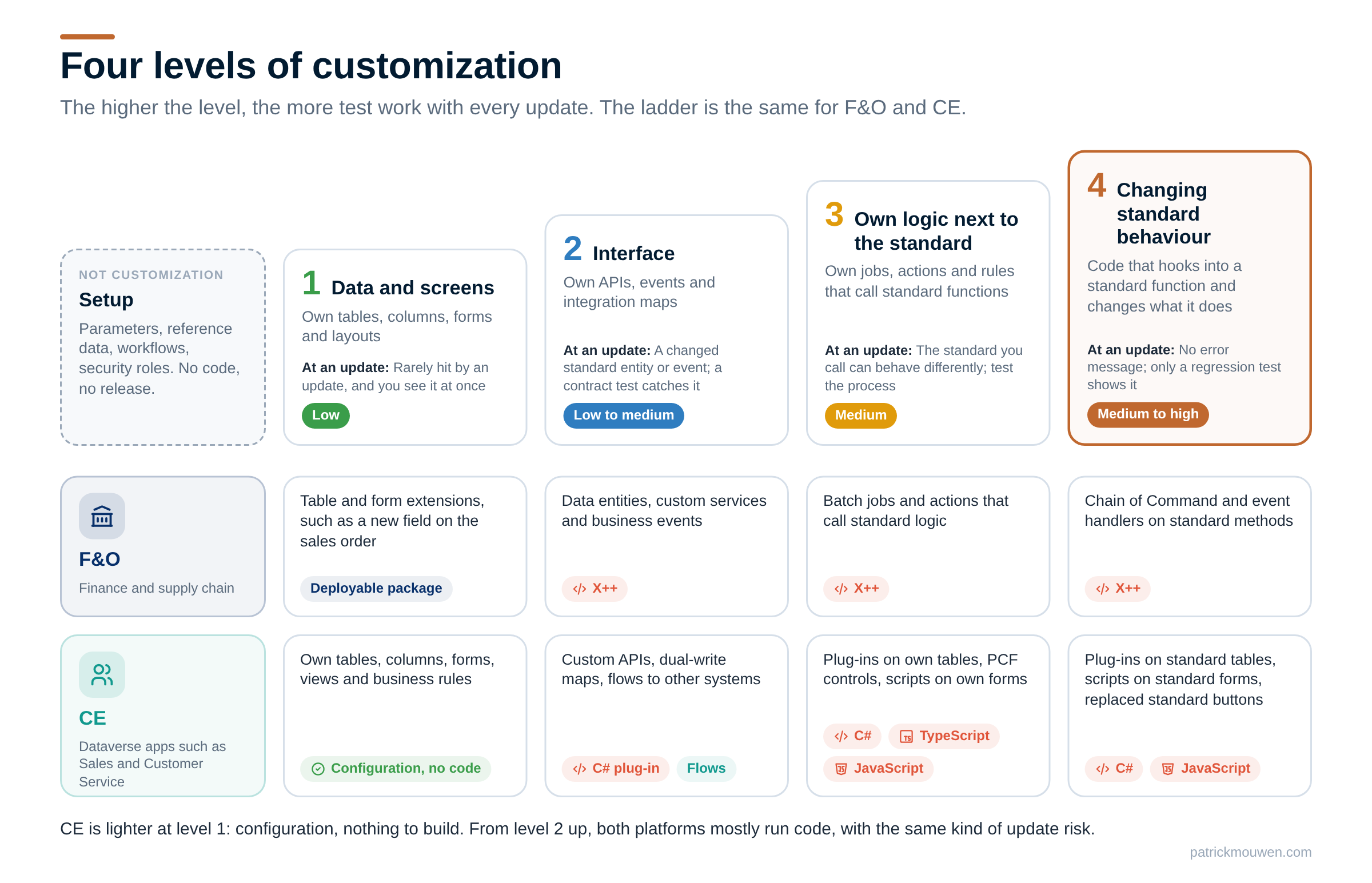
It may come as a surprise to some, but the classification is the same for F&O and for CE. That’s the part that tends to get lost when people are told “CE is low-code”.
Where CE really is lighter
At level 1, CE has a real advantage. Dataverse is metadata-driven. A new table, an extra column on the account form or a new view is configuration that travels in a solution from one environment to the next. Nothing is compiled.
In F&O, even a single new field is a table extension in a model. It’s built into a deployable package and deployed like any other code change. Same kind of change, but with the overhead of packaging and deployment. For this level, “do it in CE” is a fair argument, with one exception: when CE is used purely as a UI facade on top of F&O. Users then work in CE, the data reaches F&O through an interface, and business rules that live behind a form in F&O have to be rebuilt in CE.
Further up, CE customization is code
From level 2 onwards the picture changes, and this is where the word low-code starts to mislead.
Level 2: interfaces
A custom API in Dataverse gets its logic from a plug-in. A plug-in is a C# class, compiled into a .NET assembly and registered on an event.
Levels 3 and 4: richer user interfaces
PCF controls are used to give CE forms a richer user interface and user experience. A PCF control, which replaces a field or a grid with your own component, is written in TypeScript. Form scripts are JavaScript. That’s pro-code, not low-code.
Levels 3 and 4: business logic
At level 3, that code works on your own tables and processes. At level 4, it works on Microsoft’s: a plug-in that fires when a standard quote or order is saved, a script on a standard form, a standard button on the command bar replaced by your own. For business logic, Microsoft’s own guidance is to try the declarative options first, such as Power Automate and business rules, and to use plug-ins when those don’t meet the requirement.
But a declarative option like a Power Automate cloud flow doesn’t run in the same database transaction as the operation that triggers it: cloud flows are asynchronous. So a flow isn’t always a viable option, and you’ll need C# code in a plug-in. Take a sales order that’s changed in CE:
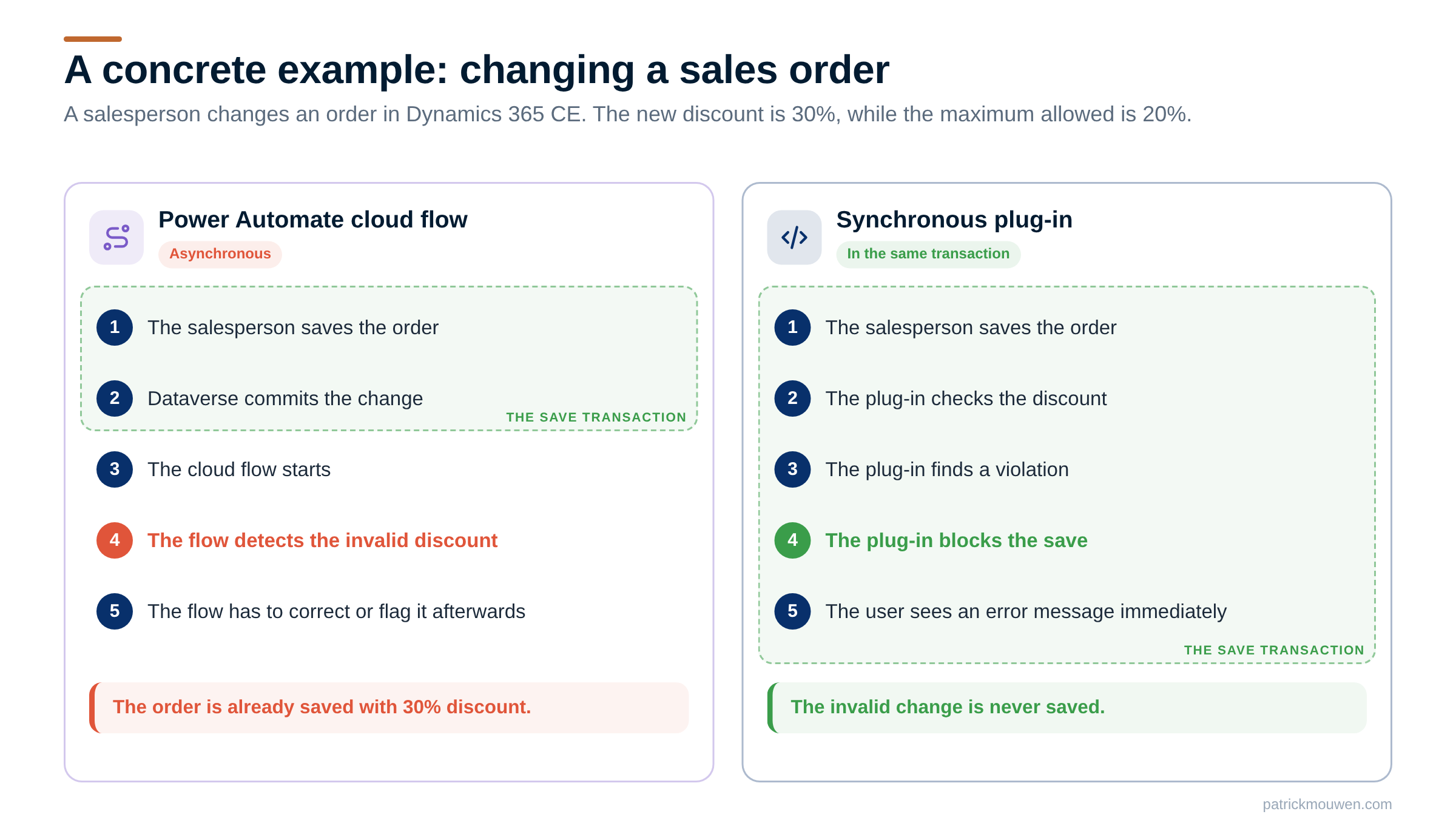
These are developer tools. And they’re exactly what’s used to fill F&O gaps in CE, to avoid difficult upgrades in F&O. A rebate rule or a pricing exception rarely fits in a business rule or a flow. So you end up with the same upgrade risk in CE, often with the extra overhead of data synchronization and a connection to the F&O process on top.
For the commands you reuse in CE, Microsoft notes that it reserves the right to change or deprecate them. That makes level 3 and 4 customizations in CE as sensitive to Microsoft updates as Chain of Command extensions can be in F&O. When Microsoft changes what a standard function does, your plug-in still runs. There’s no error message. It simply runs on top of behaviour that changed underneath it, and only a regression test will show you. A Chain of Command extension in X++ and a plug-in on a standard message carry the same kind of risk. One isn’t safer because it’s written for Dataverse.
Overlayering, the CE way
Level 4 in CE has one more catch. In F&O, Microsoft ended overlayering with version 8.0: you extend the standard, you can’t overwrite it. Dataverse works with solution layers. When you customize one of Microsoft’s own components, such as a form, a view or a command, your layer sits on top and can take precedence over what Microsoft ships next. My previous post shows how that stacking works.
The effect is easy to miss. An improvement Microsoft makes to that form or button can stay invisible in your environment. And if you run standard Dynamics 365 apps such as Sales or Customer Service, every change you made to their tables, forms and buttons has to stay compatible with each release, two major updates a year plus weekly service updates.
The bill for keeping F&O standard
Here’s an example from a running F&O and CE project:
- A gap moves to CE to keep F&O clean.
- The CE part turns out to be a plug-in and some JavaScript: level 3 or 4.
- The data has to reach F&O, so there’s dual-write or another integration to build and maintain on both sides.
- And because the order, the invoice or the posting still happens in F&O, the transactional process there often needs a change as well.
That’s one gap, changed in three places and tested in three places, on two release cycles. It costs more to build and more to run. The total cost of ownership ends up well above the original estimate, because the promise of low-code and low risk couldn’t be kept. And your business agility suffers as well.
I’m not arguing against CE. F&O and CE both have their place in a Dynamics 365 architecture. But apply the nuance. Ask your Microsoft partner and solution architects to specify what they intend to build, using the four levels above. Then look at the total cost of ownership of the end-to-end solution. Look at the update cadence of every component involved. Look at the expertise in your team: do you have TypeScript, X++, C# and integration development in place, with the ALM processes that go with them? And look at your business agility: avoid having to make every change in several places, and having to align testing and release strategies across multiple apps and interfaces to get a change live. Only then decide.
So the next time someone proposes to do it in CE because that’s low-code, ask which level the change is on. It’s a short question, and it usually changes the conversation.
Are you already classifying the customizations in your projects?