
My blog posts (2015–now)
Architecture notes on Dynamics 365 Commerce, D365 ERP, Power Platform, D365/Azure integrations and AI.
 ERP, Commerce & Customer
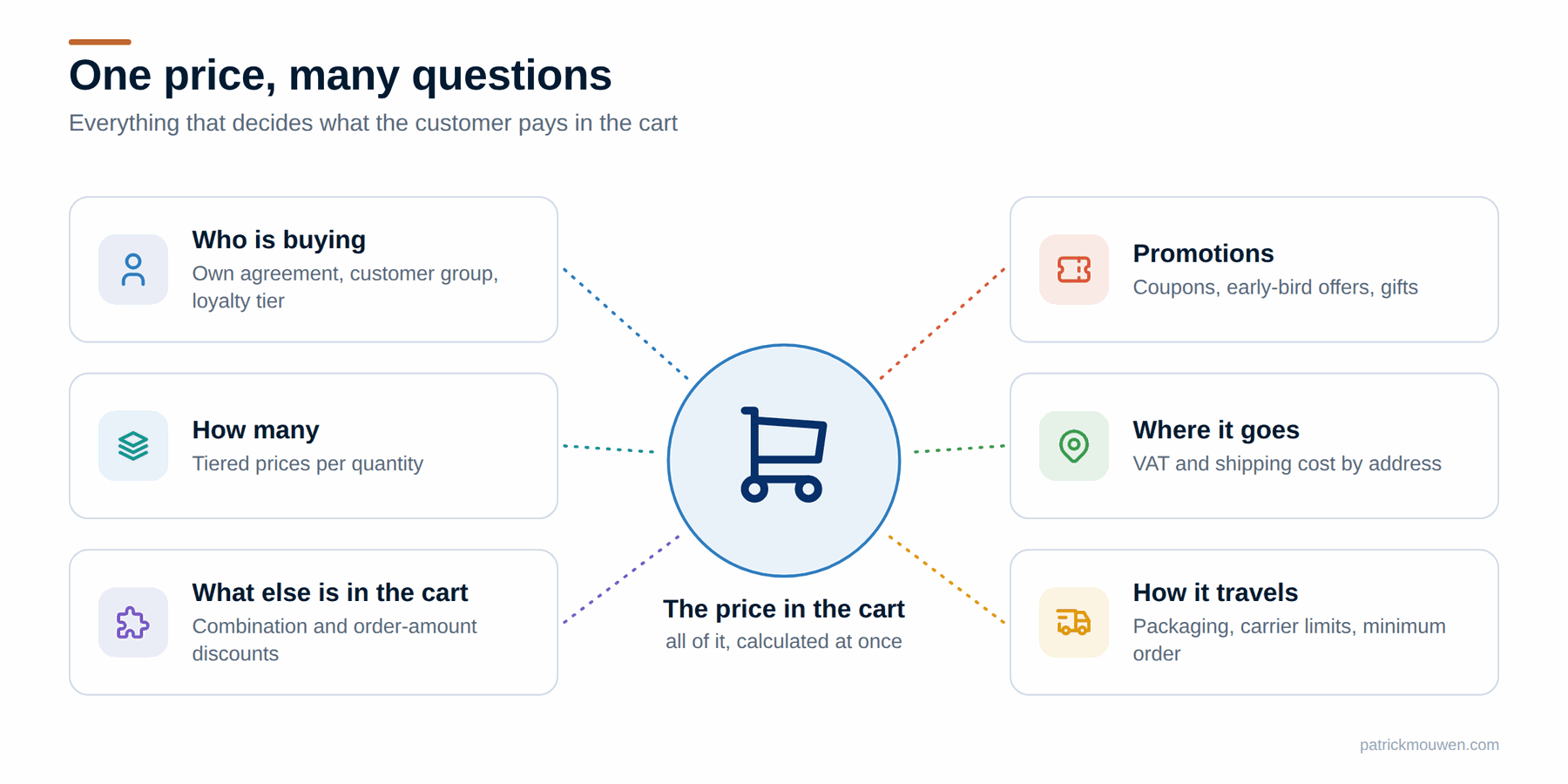
 Getting Dynamics 365 prices into your webshop
Your webshop must show the same price your sales team would. Instead of copying every pricing rule, ask Dynamics 365 through the Commerce Scale Unit.
Read →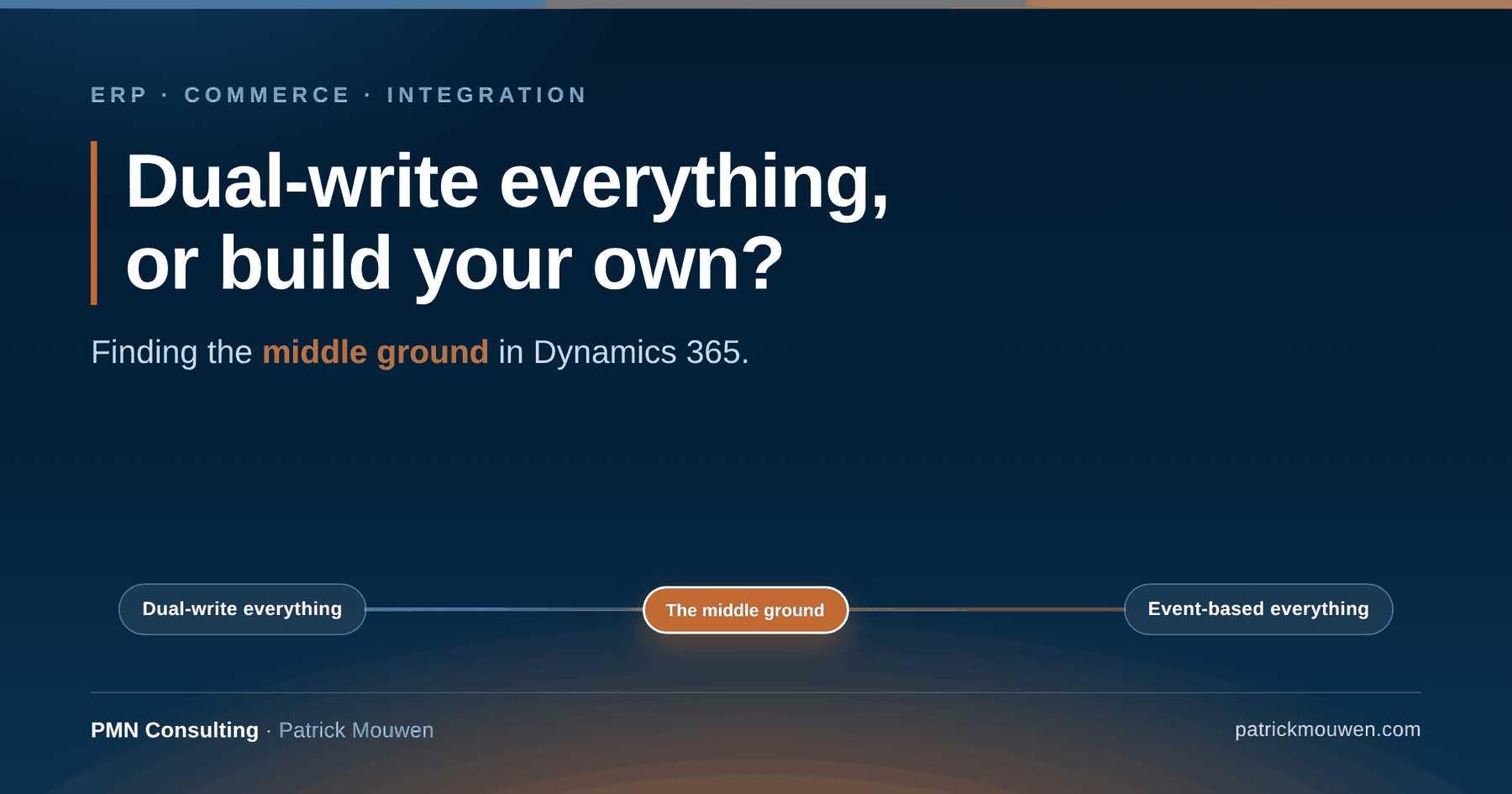 Integration & APIs
 Dual-write everything, or build your own? Finding the middle ground in Dynamics 365
The integration between Finance & Operations and Dataverse quietly decides your storage bill, your reliability and who takes the 2 a.m. call. Neither extreme is the answer.
Read →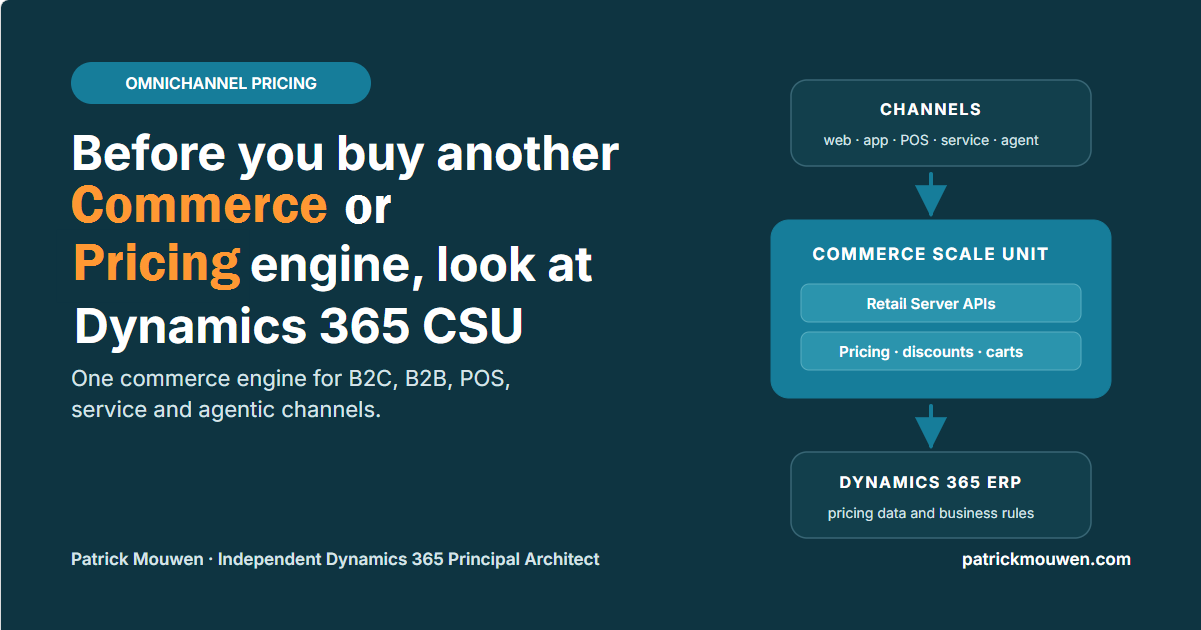 ERP, Commerce & Customer
 Before you buy another Commerce and/or Pricing engine, look at Dynamics 365 CSU
Commerce Scale Unit can serve ERP-native pricing to B2C, B2B, POS, service and agentic channels — without rebuilding that logic in a second platform.
Read →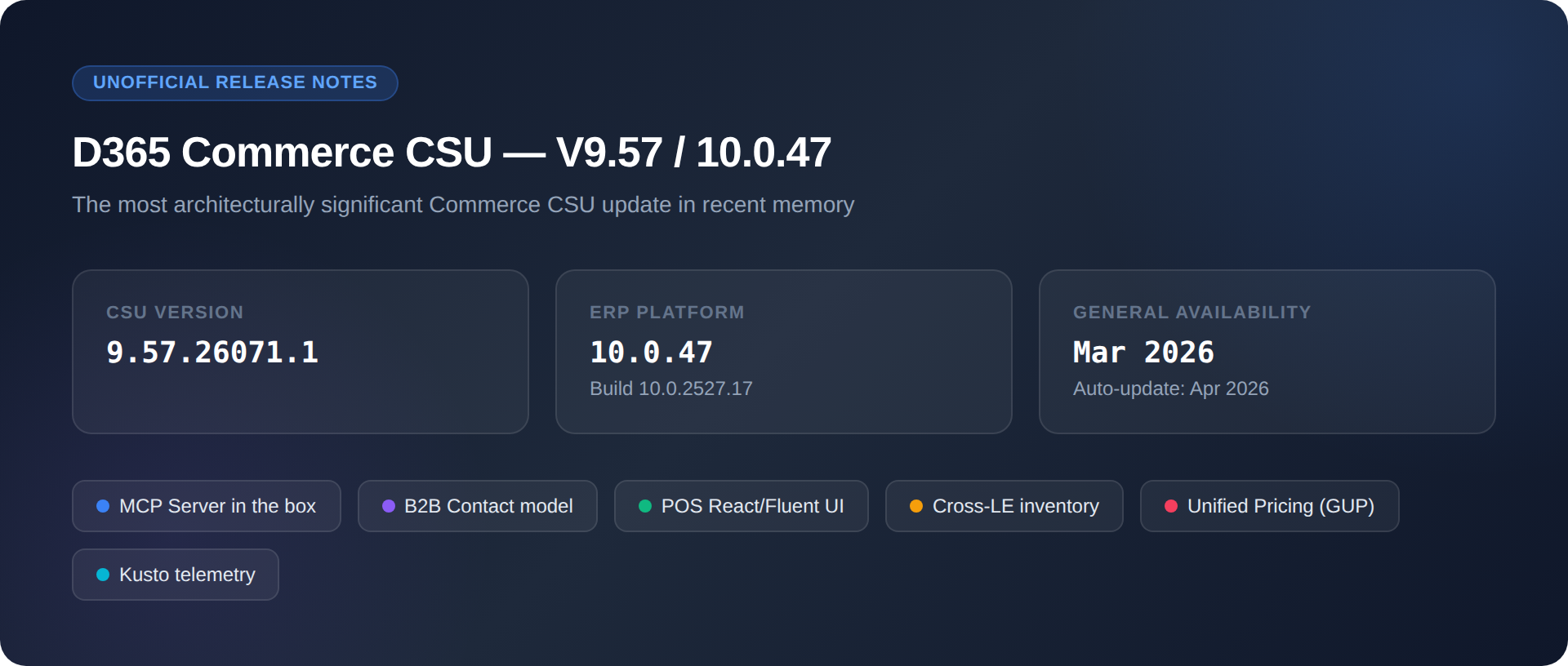 Release Analysis & Technical Resources
 D365 Commerce CSU V47/9.57 Unofficial Release Notes
Unofficial release notes for D365 Commerce CSU V47/9.57, read assembly by assembly — what changed in the code, the APIs and the flight keys.
Read →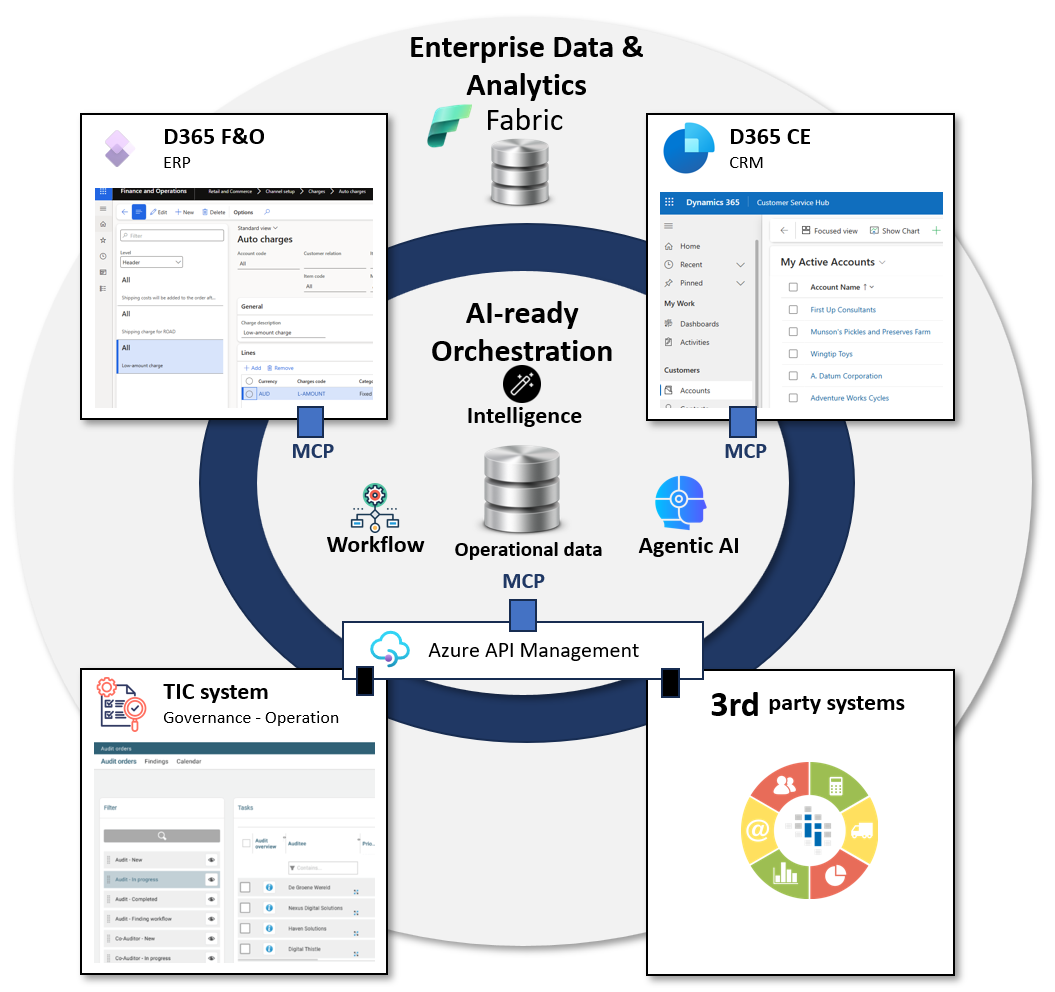 Architecture & Transformation
 The middle layer is 50% of your transformation
What a detour into food certification taught me about ERP, monoliths and agentic AI — and why the middle layer carries half the transformation.
Read →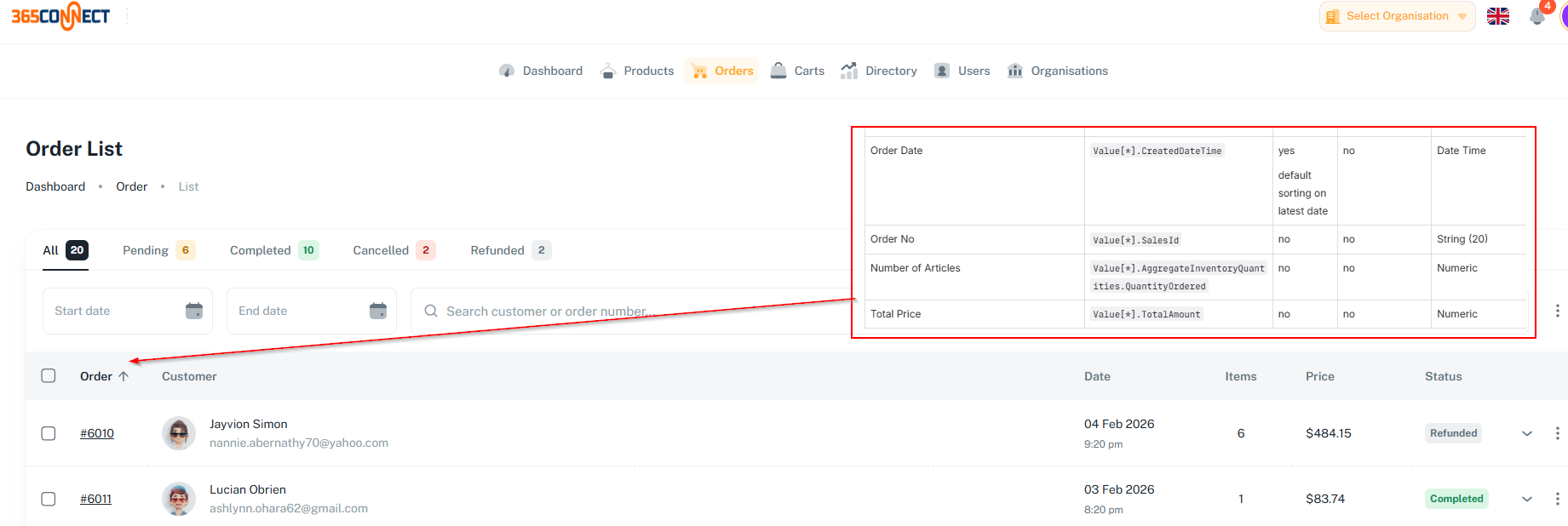 Data & AI Readiness
 Designing Headless Commerce Starts with Data — Not Apps
Headless apps hold no data and no local logic. The hard part is not the journey — it is getting the right data, at the right quality, from the backend.
Read →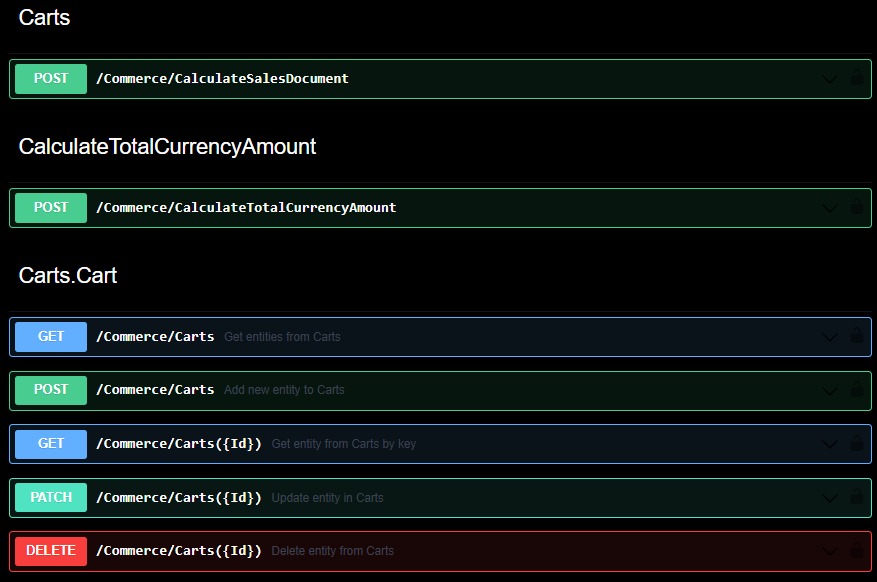 ERP, Commerce & Customer
 A language trick for headless commerce
An undocumented Accept-Language header changes what Commerce CSU returns — translated product names, delivery options and search results in headless.
Read →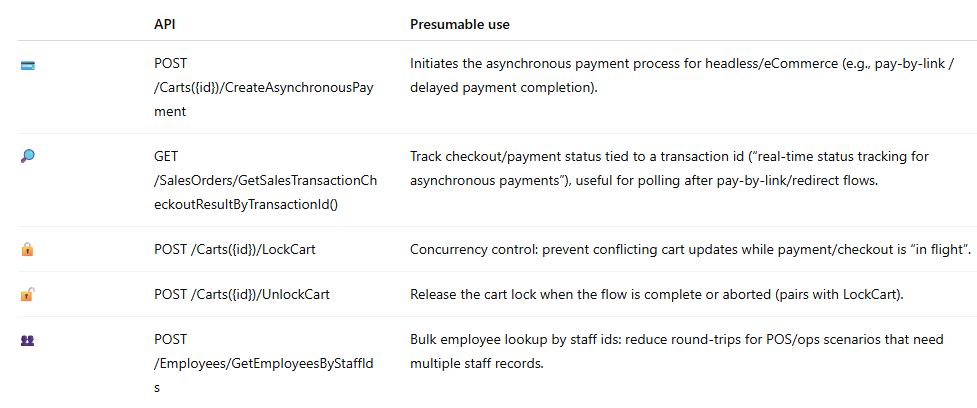 Release Analysis & Technical Resources
 Commerce CSU V9.56/10.0.46 - January 2026
Unofficial release notes for Commerce CSU V9.56/10.0.46, January 2026 — asynchronous payments, external gift cards and connector extensibility.
Read →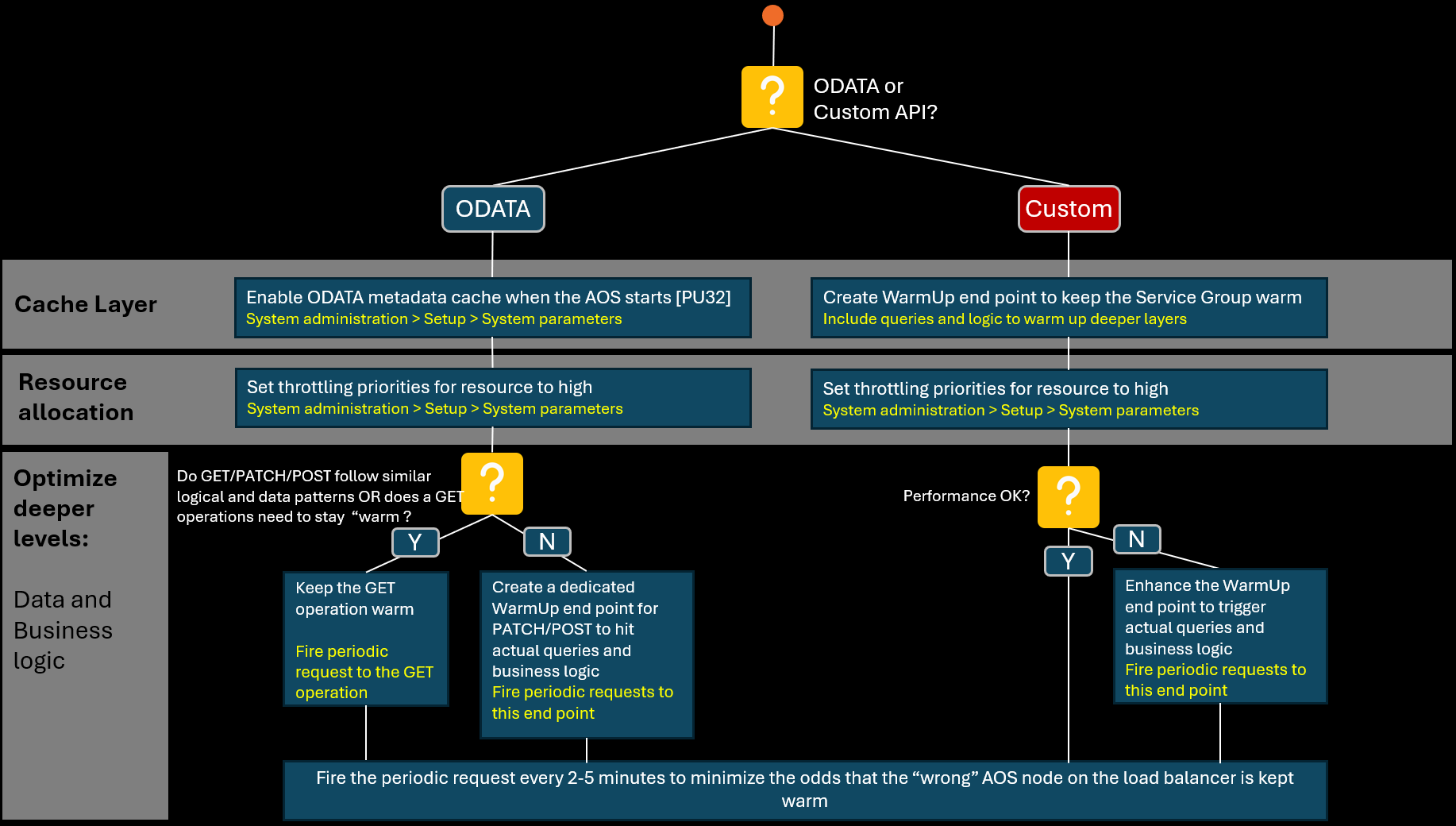 Integration & APIs
 How can we optimize performance of D365 APIs for use in headless environments?
D365 F&O and Dataverse APIs are often too slow or too unpredictable for real-time headless use. Where the time goes, and what to do about it.
Read → Integration & APIs
 Is there an API-first alternative for Dual Write?
Does quote-to-order really need Dual Write, or can an API-first pattern answer the same question without synchronising data between D365 apps?
Read →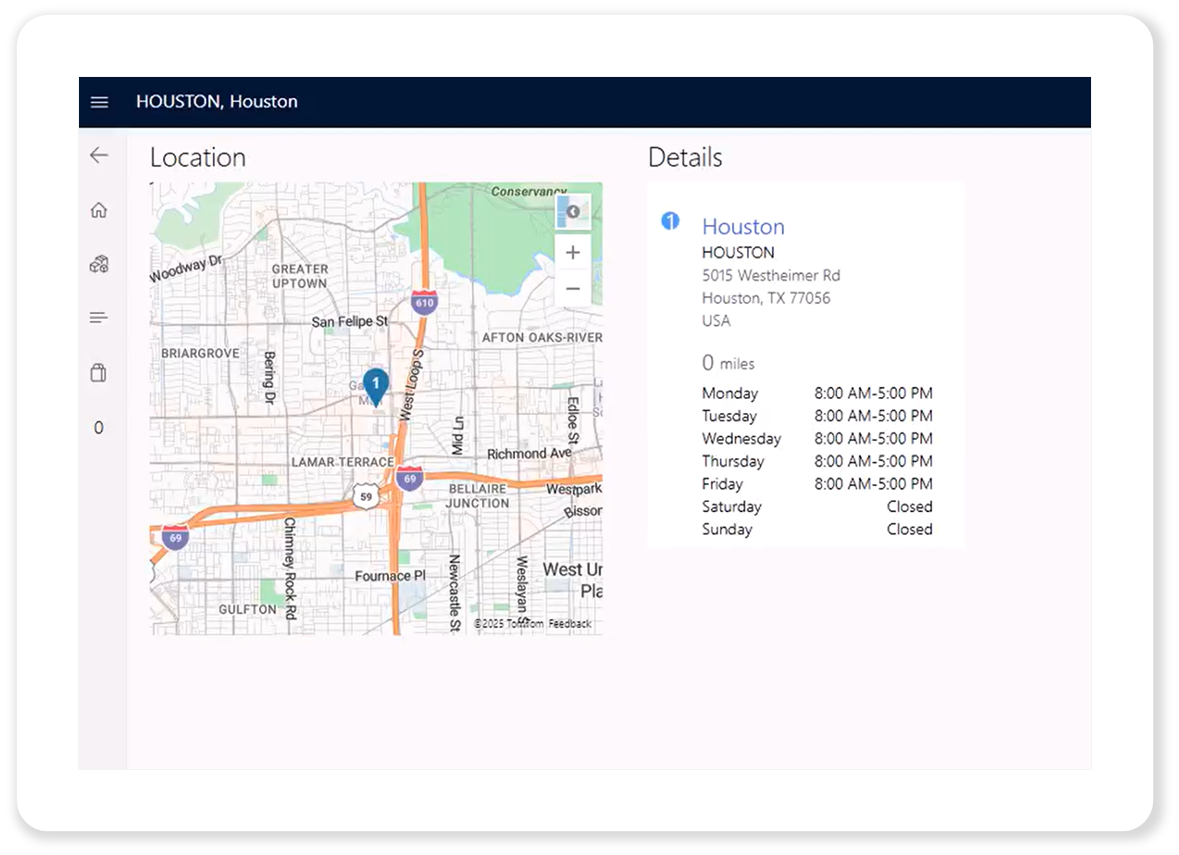 Release Analysis & Technical Resources
 Commerce CSU V9.55/10.0.45 - September 2025
Unofficial release notes for Commerce CSU V9.55/10.0.45, September 2025 — refund permissions, payment notifications and Azure Maps at channel level.
Read →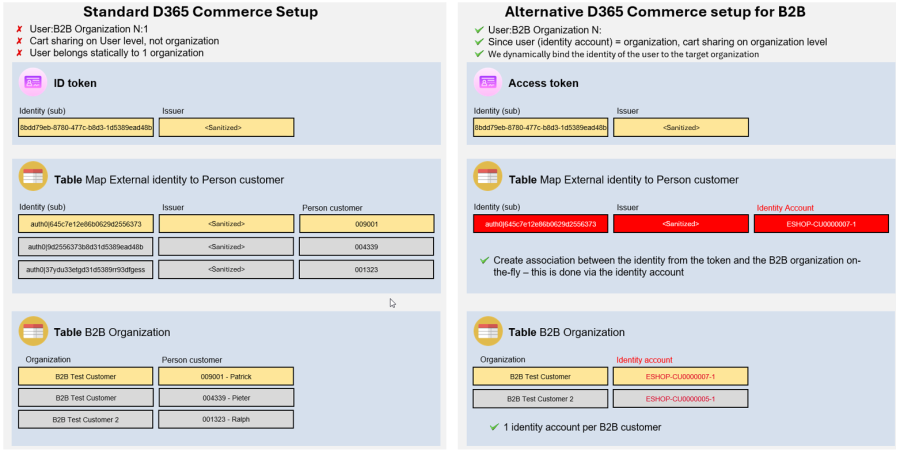 ERP, Commerce & Customer
 🧩 Unlocking True Headless B2B Commerce with D365 — Without Customizing the Core
The D365 Commerce data model is rooted in individual customer accounts. How to support multi-organisation B2B journeys without customising the core.
Read →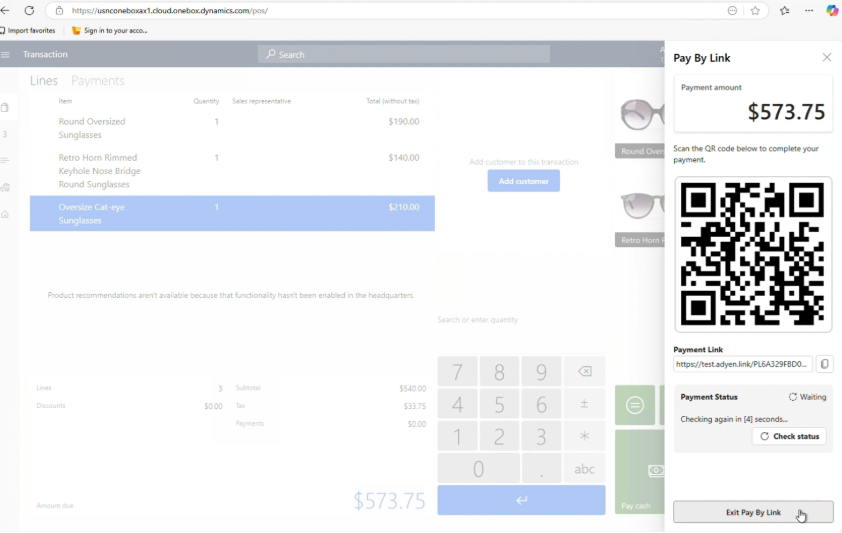 Release Analysis & Technical Resources
 Commerce CSU V9.54/10.0.44 - June 2025
Unofficial release notes for Commerce CSU V9.54/10.0.44, June 2025 — API and schema changes, plus the flight keys steering CSU behaviour.
Read → Release Analysis & Technical Resources
 Commerce CSU V9.53/10.0.43 - March 2025
Unofficial release notes for Commerce CSU V9.53/10.0.43, March 2025 — the API and schema changes that matter for e-commerce integration.
Read →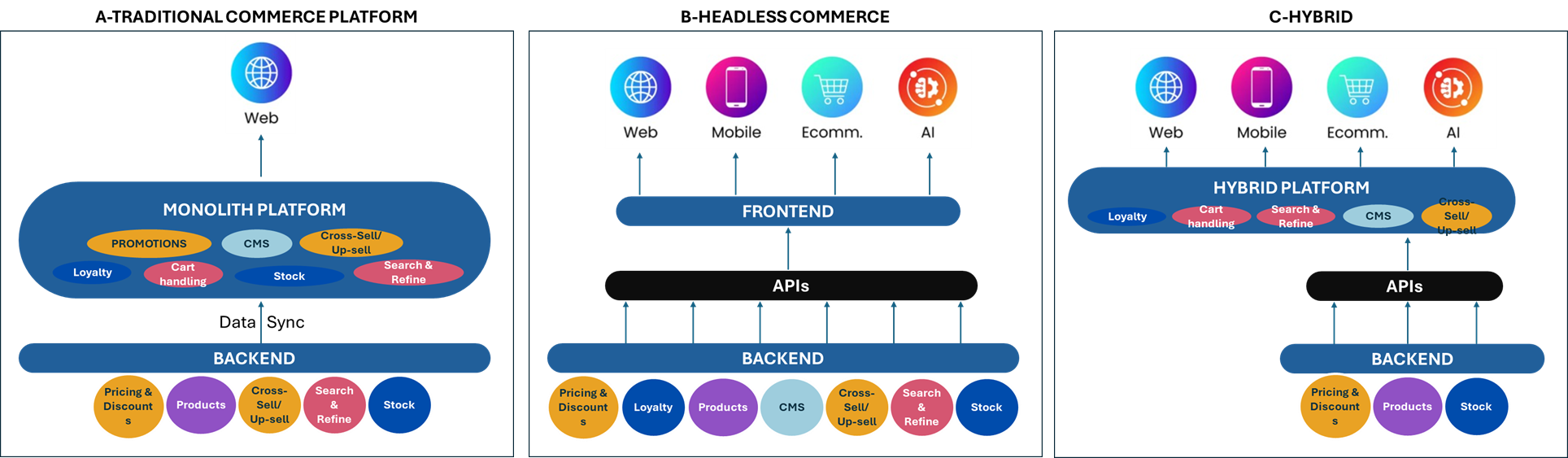 ERP, Commerce & Customer
 Case #3: Why using Commerce CSU for Headless Commerce beats custom-built Solutions
Why Commerce CSU beats a custom build for exposing D365 ERP data to headless e-commerce, compared against the more traditional approaches.
Read →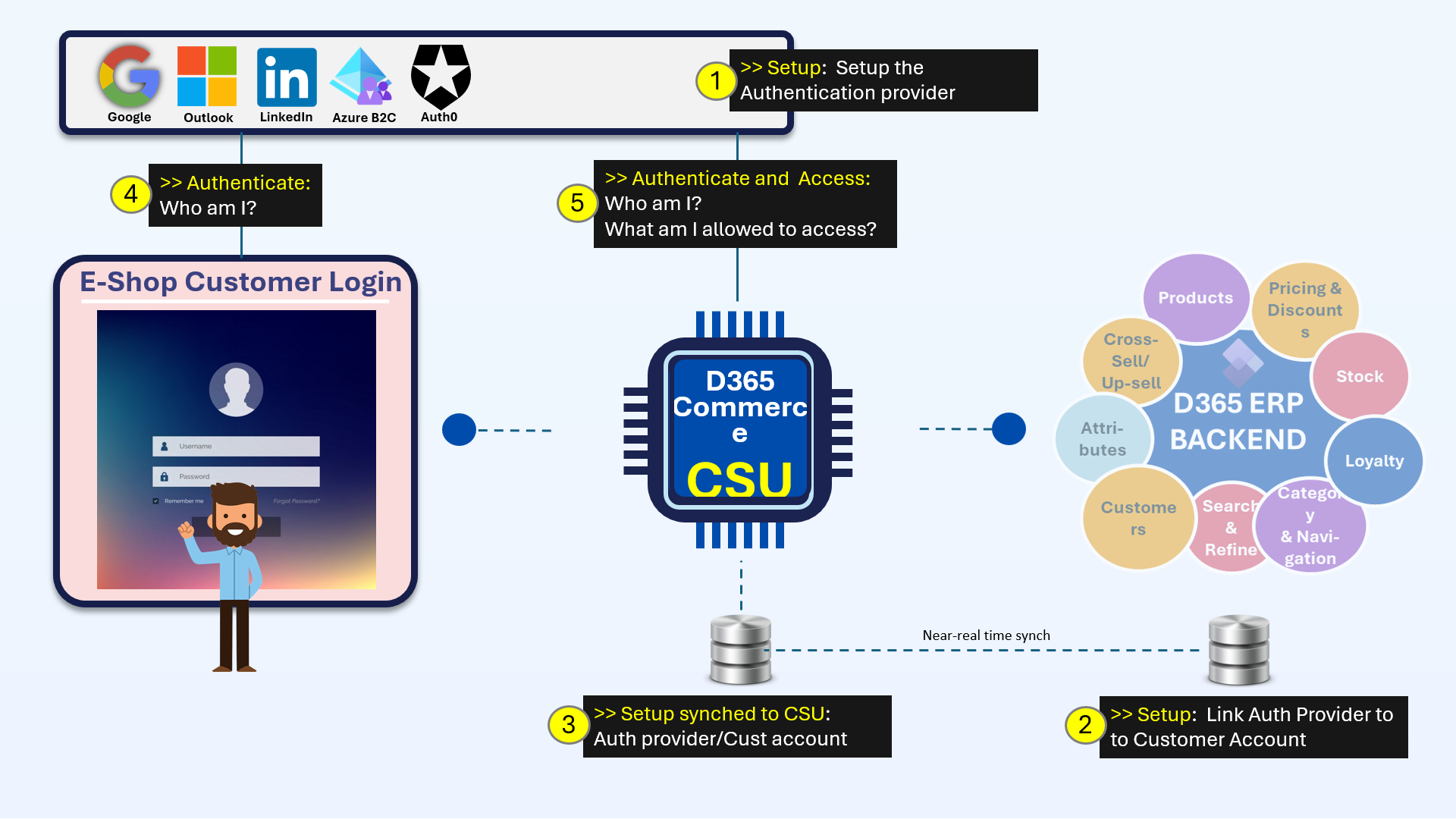 Integration & APIs
 Case #2: Can customer account login on your non-Microsoft e-commerce website grant you access to D365 ERP data?
Can an existing e-commerce account login authenticate B2B users straight into D365 ERP data? Case #2 on integrating non-Microsoft e-commerce.
Read →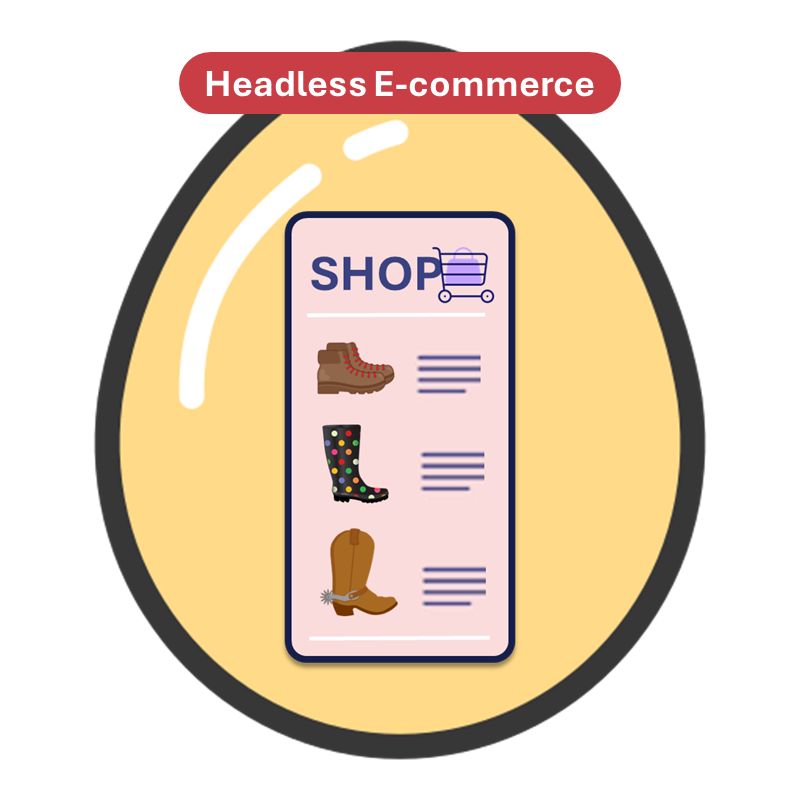 ERP, Commerce & Customer
 Case #1: D365 ERP cannot be the backend for your headless e-commerce solution.. Right?
Can a headless frontend connect directly to D365 ERP without synchronising data? Case #1 in a series on integrating non-Microsoft e-commerce.
Read →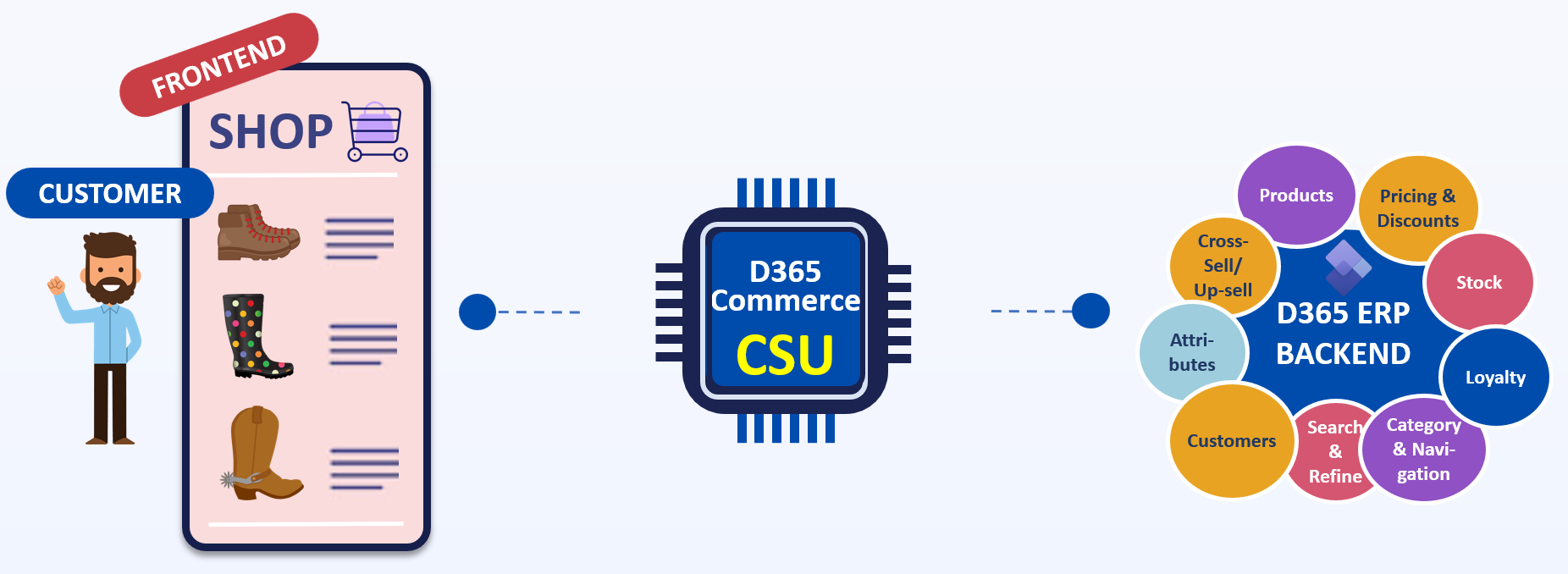 Release Analysis & Technical Resources
 Commerce CSU V9.51/10.0.41 - November 2024
Unofficial release notes for Commerce CSU V9.51/10.0.41, November 2024 — the API and schema changes that matter for e-commerce integration.
Read → Release Analysis & Technical Resources
 What is new: D365 Commerce CSU
An unofficial what's-new for the D365 Commerce Cloud Scale Unit APIs, written because no official Microsoft release notes exist for them.
Read → Integration & APIs
 Reconciling Adyen vs D365 Payment Transactions
Adyen and D365 each record evidence of the same payment. How to reconcile the two sides, and what to do when they disagree.
Read →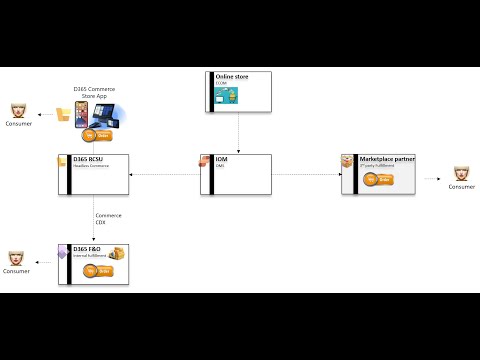 ERP, Commerce & Customer
 D365 Commerce + IOM = SUPERPOWER!
A recorded demonstration of D365 Commerce and Intelligent Order Management working together across one integrated order scenario.
Read → Architecture & Transformation
 Why I am a fan of a Single Company setup for Retailers in D365 F&O
Why a single-company setup in D365 F&O suits retailers: brand experience should not be interrupted by legal entity boundaries.
Read →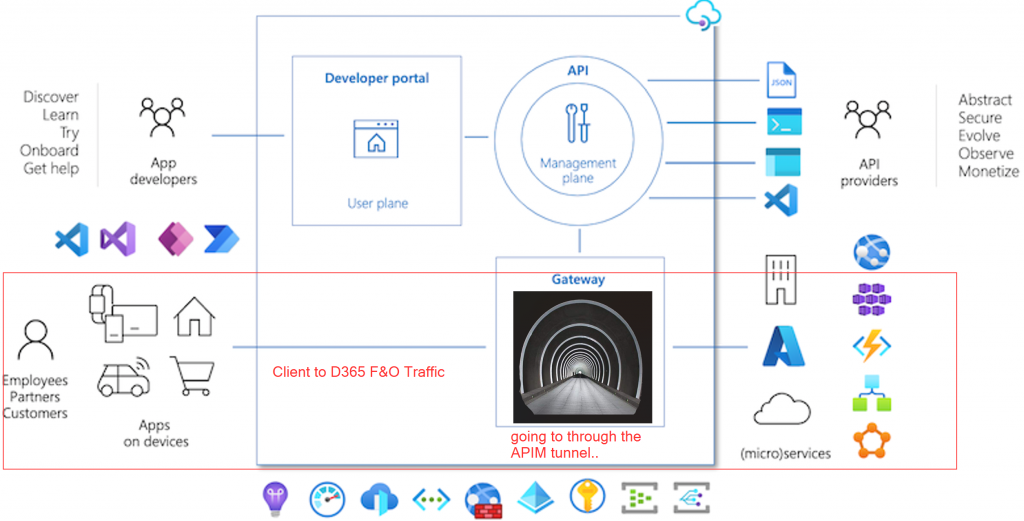 Integration & APIs
 D365 F&O/Commerce interfacing via Azure API Management: My Best Practices
Best practices for putting Azure API Management in front of D365 F&O OData and Commerce Scale Unit interfacing — and when it earns its place.
Read →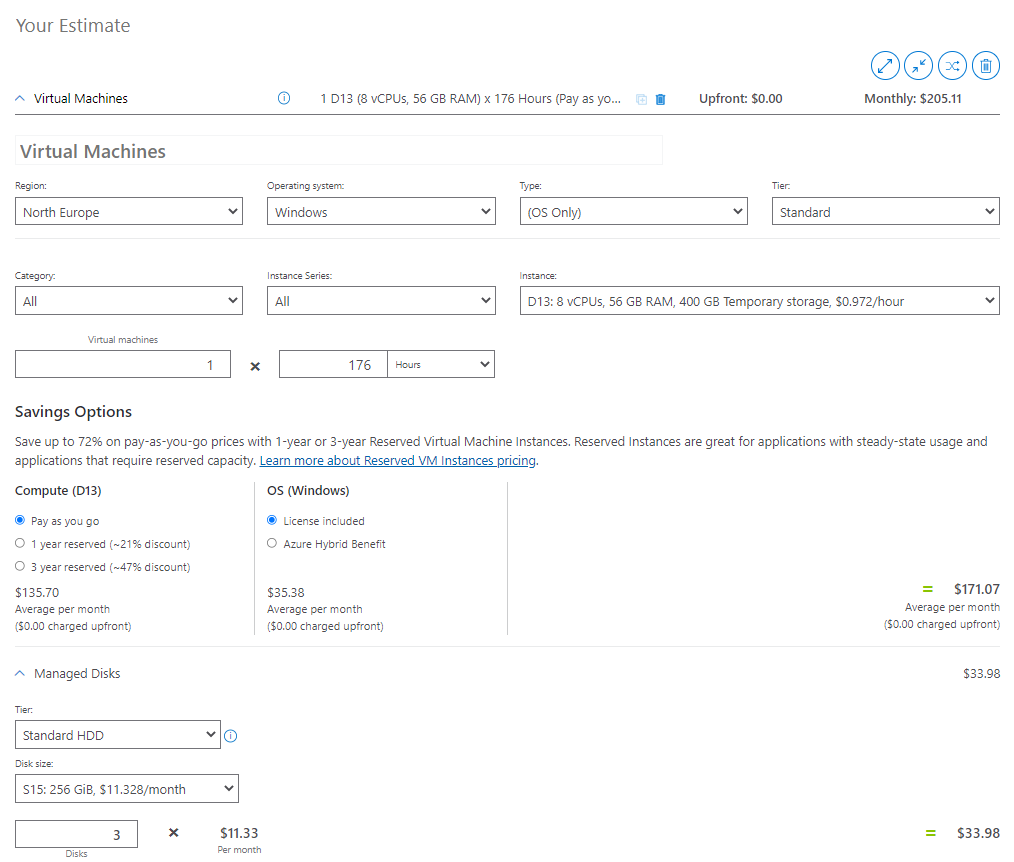 Architecture & Transformation
 How to save your D365 F&O customer some money
How D365 F&O cloud-hosted Build and DEV environments are deployed through LCS, and where the Azure subscription setup can reduce the bill.
Read →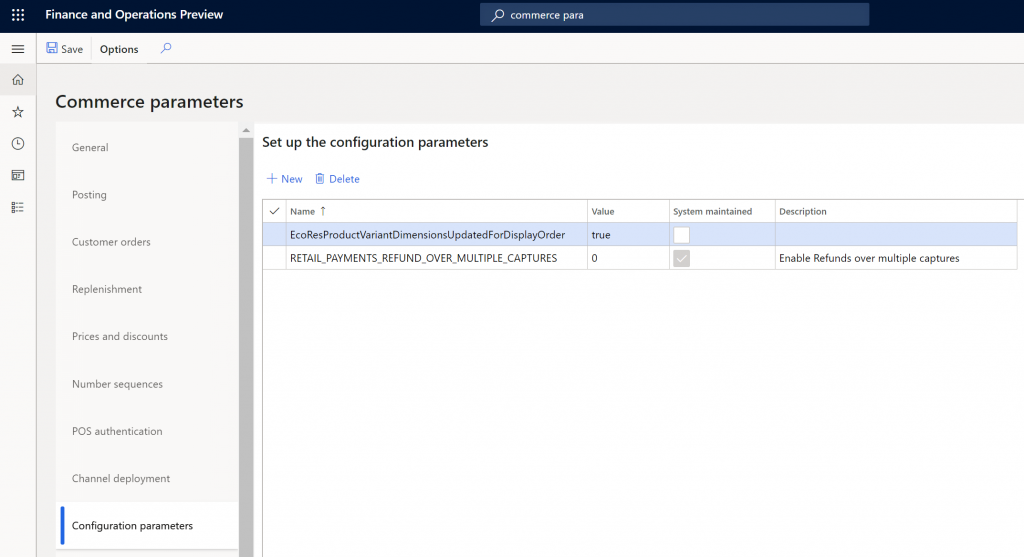 ERP, Commerce & Customer
 How to Unlock Many Hidden D365 Retail Features!
One Version in theory is not One Version in practice. Licence keys, parameters, SysFlighting and Feature Management, and what each unlocks.
Read →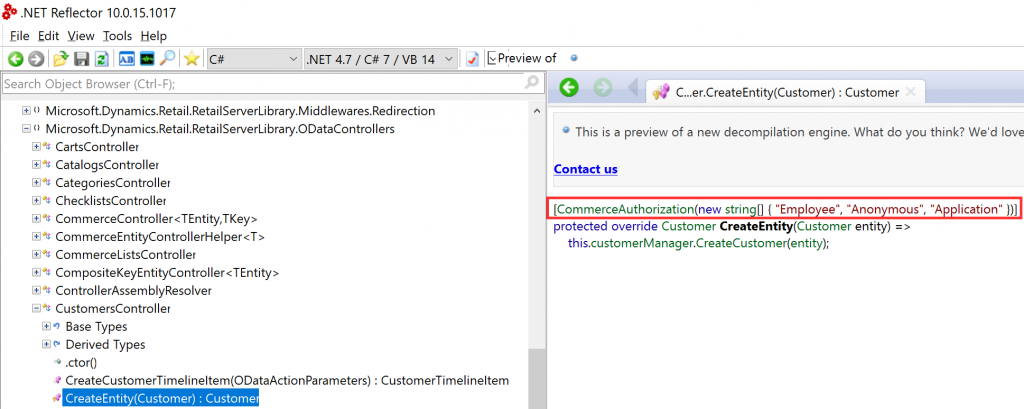 Integration & APIs
 D365 Retail APIs Part III: How to use the Retail APIs from Power Automate (Flow) and Logic App
How to construct a request to the D365 Retail APIs, and call them step by step from Power Automate and Logic Apps.
Read →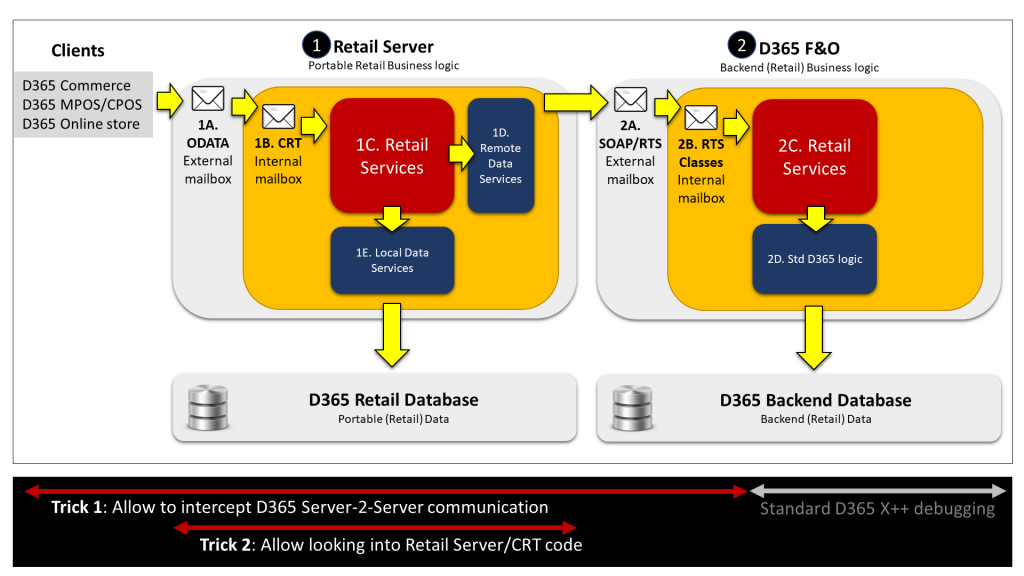 Integration & APIs
 D365 Retail APIs Part II: How to know exactly what happens inside D365 Retail
How to see exactly what happens inside D365 Retail, using prototyping and the Retail APIs to understand the product before designing against it.
Read →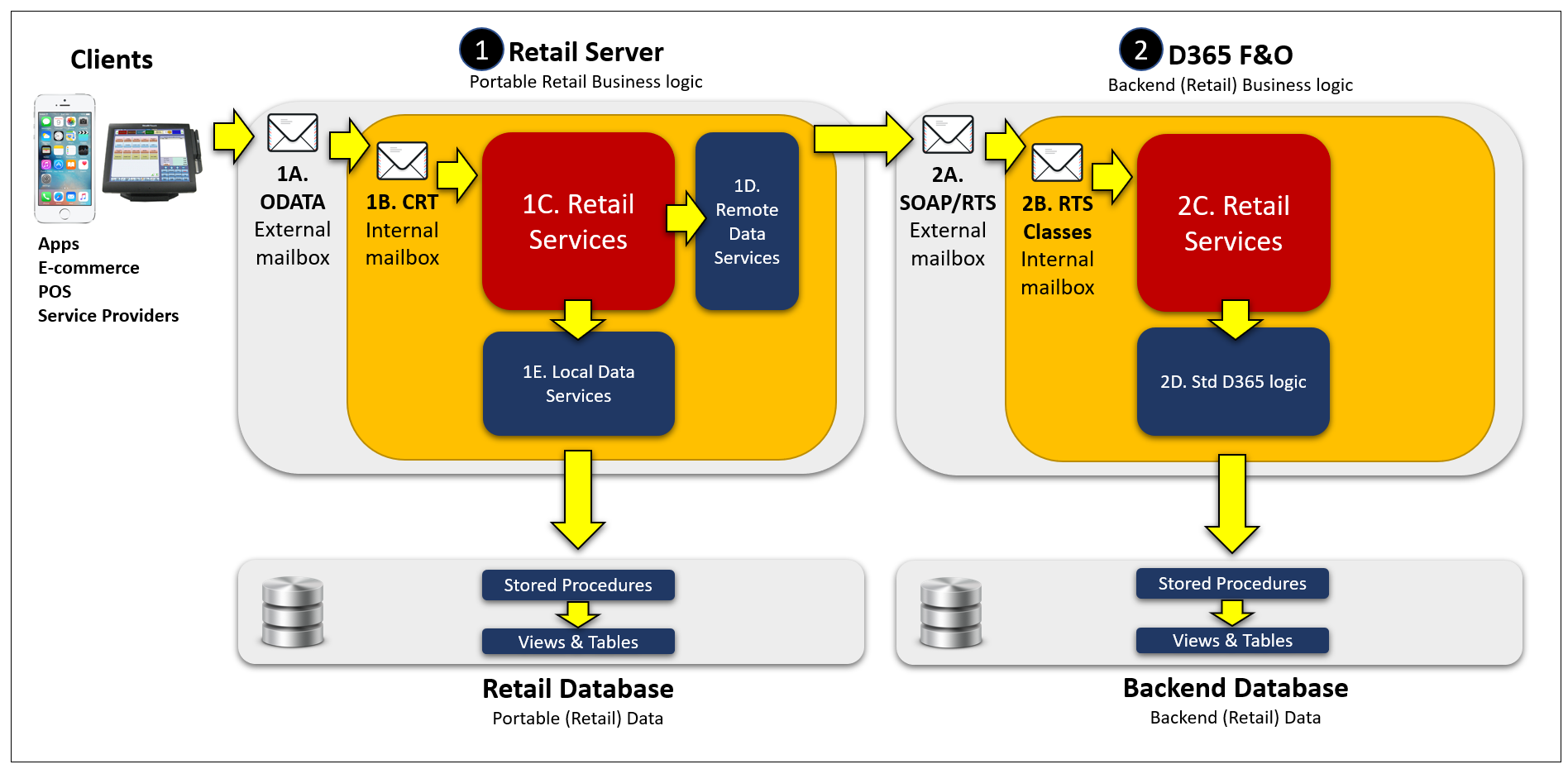 Integration & APIs
 The Power of the D365 Retail APIs/CRT – Part I: The Basics
An overview of the D365 Retail API and CRT architecture, with an example showing what these out-of-box interfaces make possible.
Read →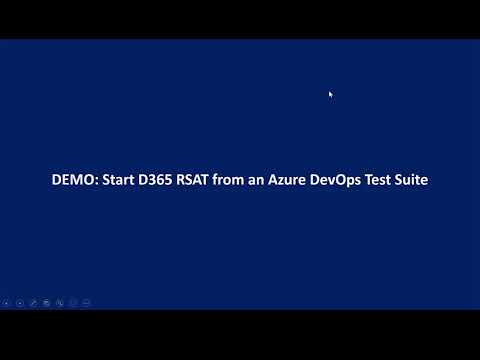 Delivery & Programme Recovery
 Advanced RSAT I: How to run D365 RSAT from MS FLOW
Advanced RSAT, part I: a recorded walkthrough of triggering D365 RSAT test automation from Microsoft Flow.
Read → Delivery & Programme Recovery
 Advanced RSAT II: How to run D365 RSAT directly from Azure DevOps
Advanced RSAT, part II: a recorded walkthrough of running D365 RSAT test automation directly from Azure DevOps.
Read →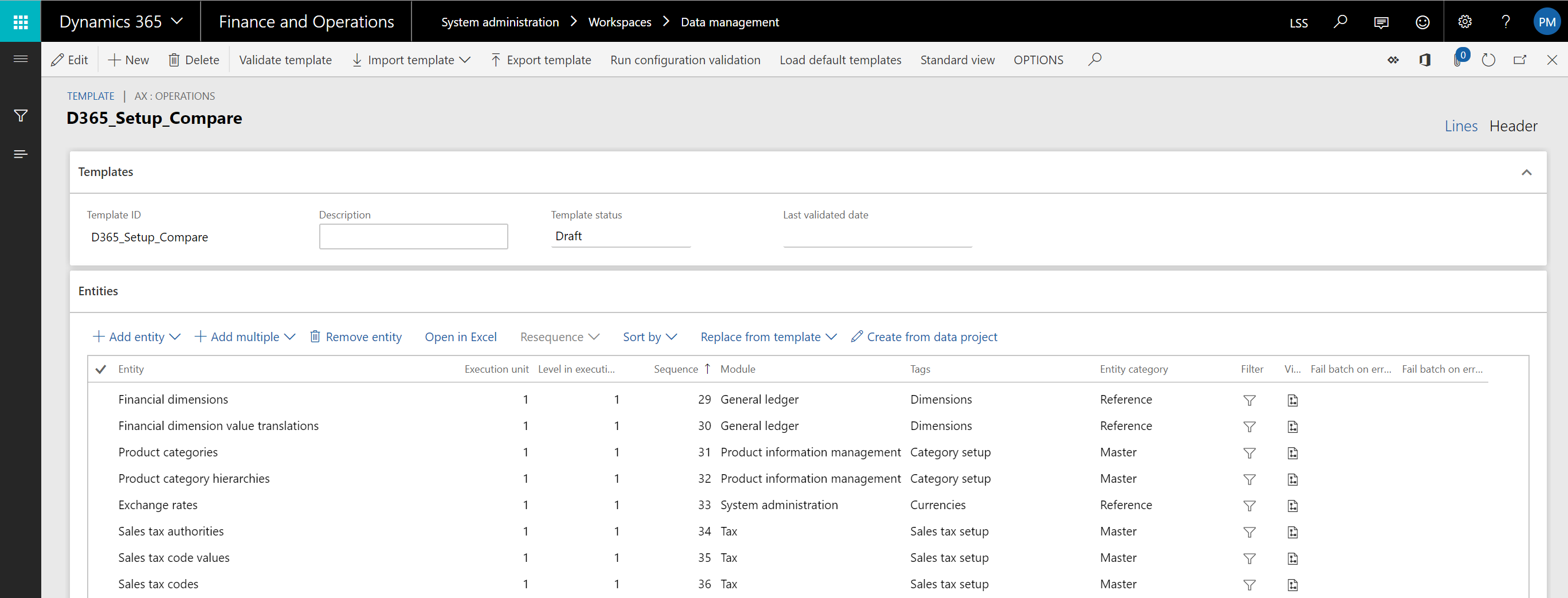 Delivery & Programme Recovery
 Identify Configuration differences across D365 F&O environments
How to find configuration drift between D365 F&O environments before cutover turns undocumented UAT changes into production issues.
Read →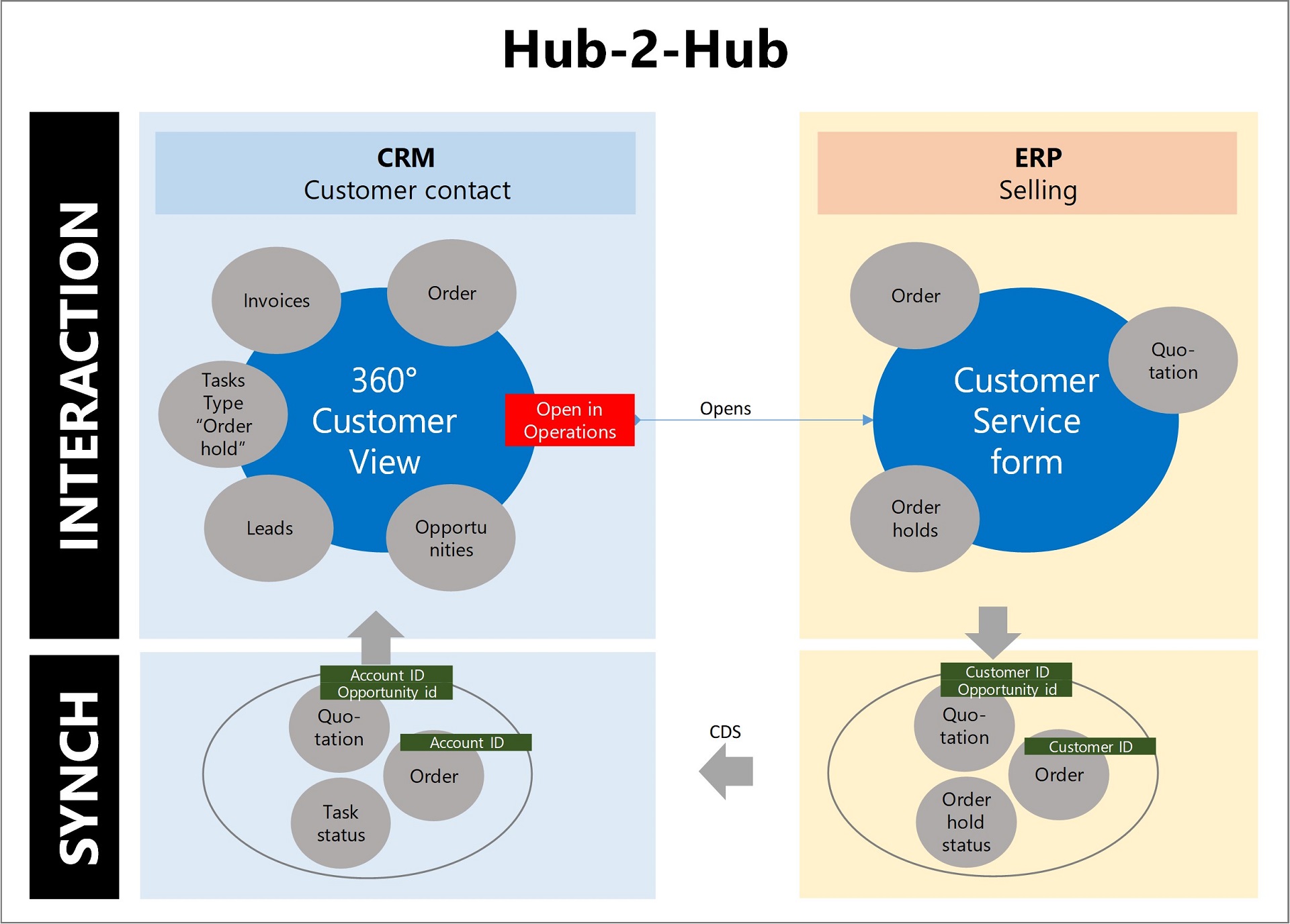 Architecture & Transformation
 Dynamics 365 CRM and ERP interaction
Where the Dynamics 365 CRM and ERP integration still needs design work, and how to make the two products behave as one.
Read →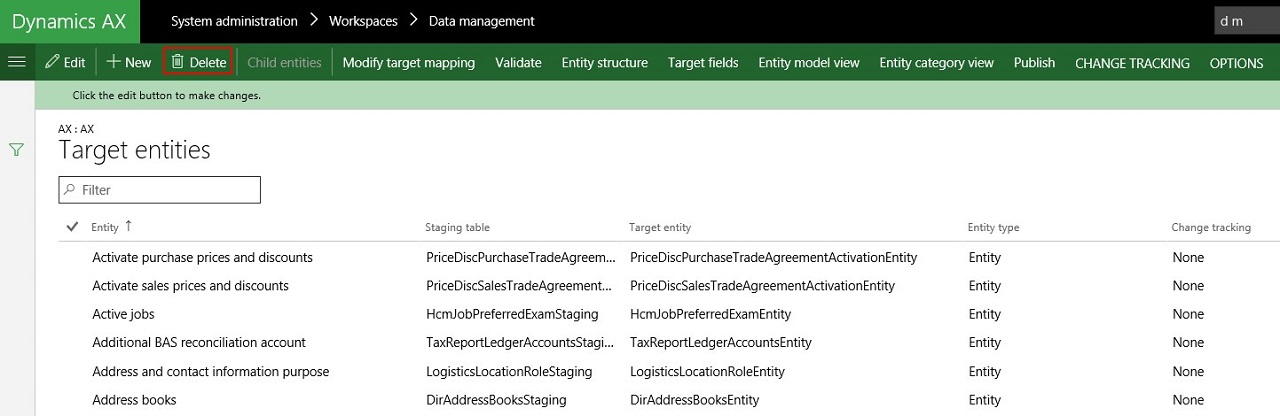 Legacy AX Archive
 1yr with AX7 Data Management – My top 12 learnings
Twelve learnings from a year of working with AX7 Data Management on live projects — data entities, entity stores and what the documentation leaves out.
Read → Legacy AX Archive
 AX7 – My top 12 highlights
Twelve highlights from the AX7 technical conference, and why the release turned out to be far more than a new UI over AX2012 code.
Read →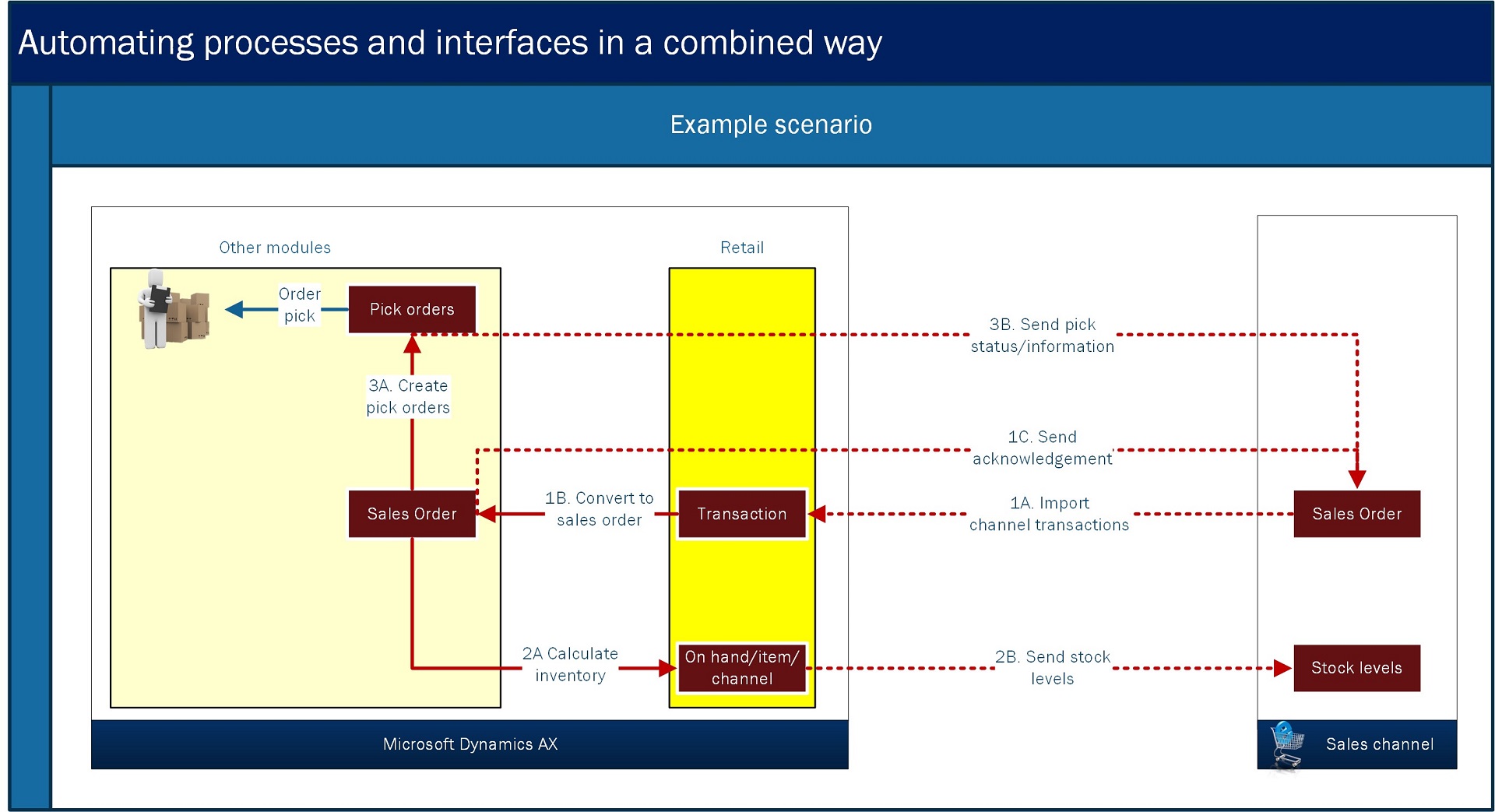 Legacy AX Archive
 Dynamics AX Retail: how to automate processes and interfaces in a combined way
How to combine standard Dynamics AX components so that business processes and the interfaces around them run automatically as one flow.
Read →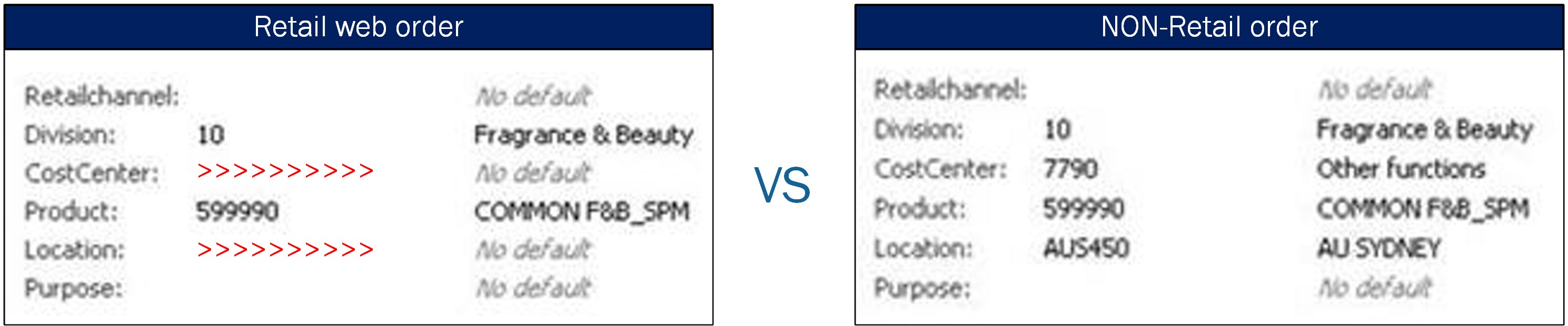 Legacy AX Archive
 Financial dimensions on web orders vs non-Retail orders
Why financial dimension values differ between B2C web orders and non-Retail B2B orders in the same company, and what that breaks at invoicing.
Read →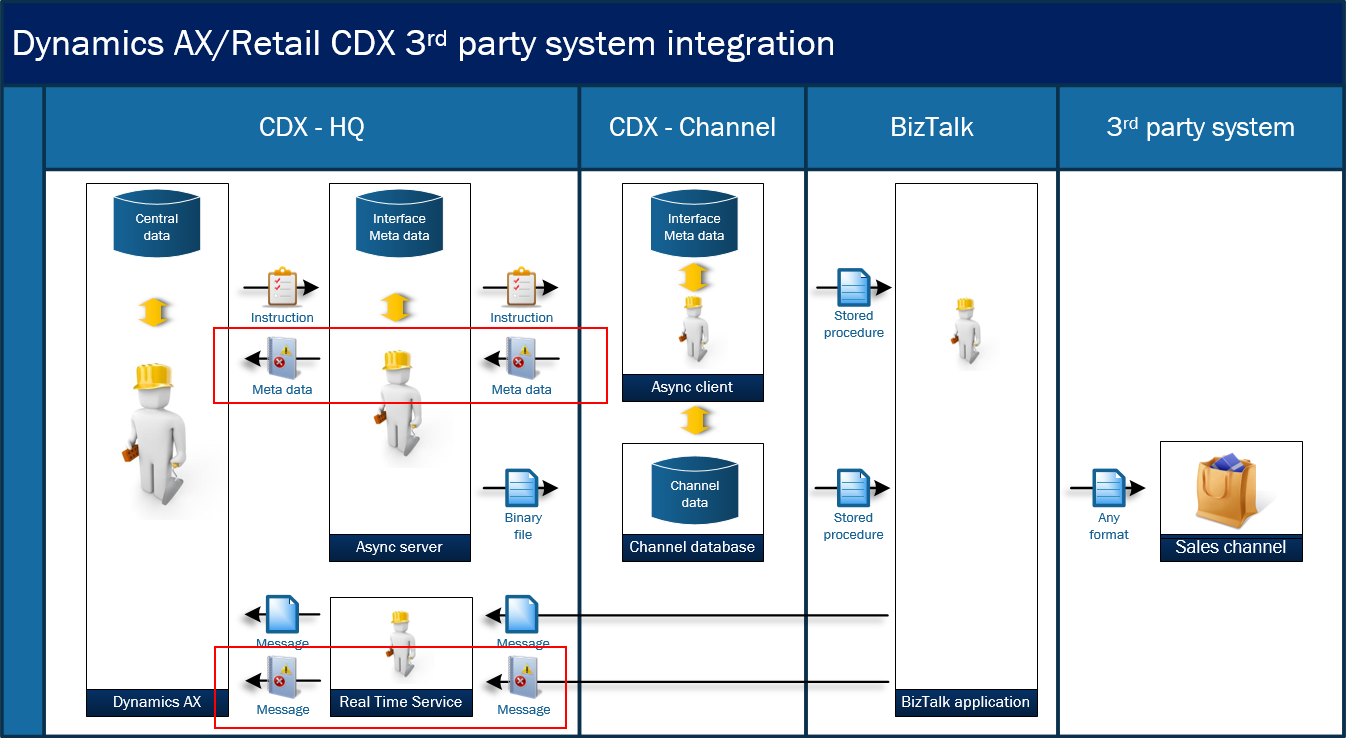 Legacy AX Archive
 Dynamics AX Retail third-party POS and e-commerce integration – Control dashboard
A control dashboard for Dynamics AX Retail third-party integration, built on the standard download and upload session forms.
Read →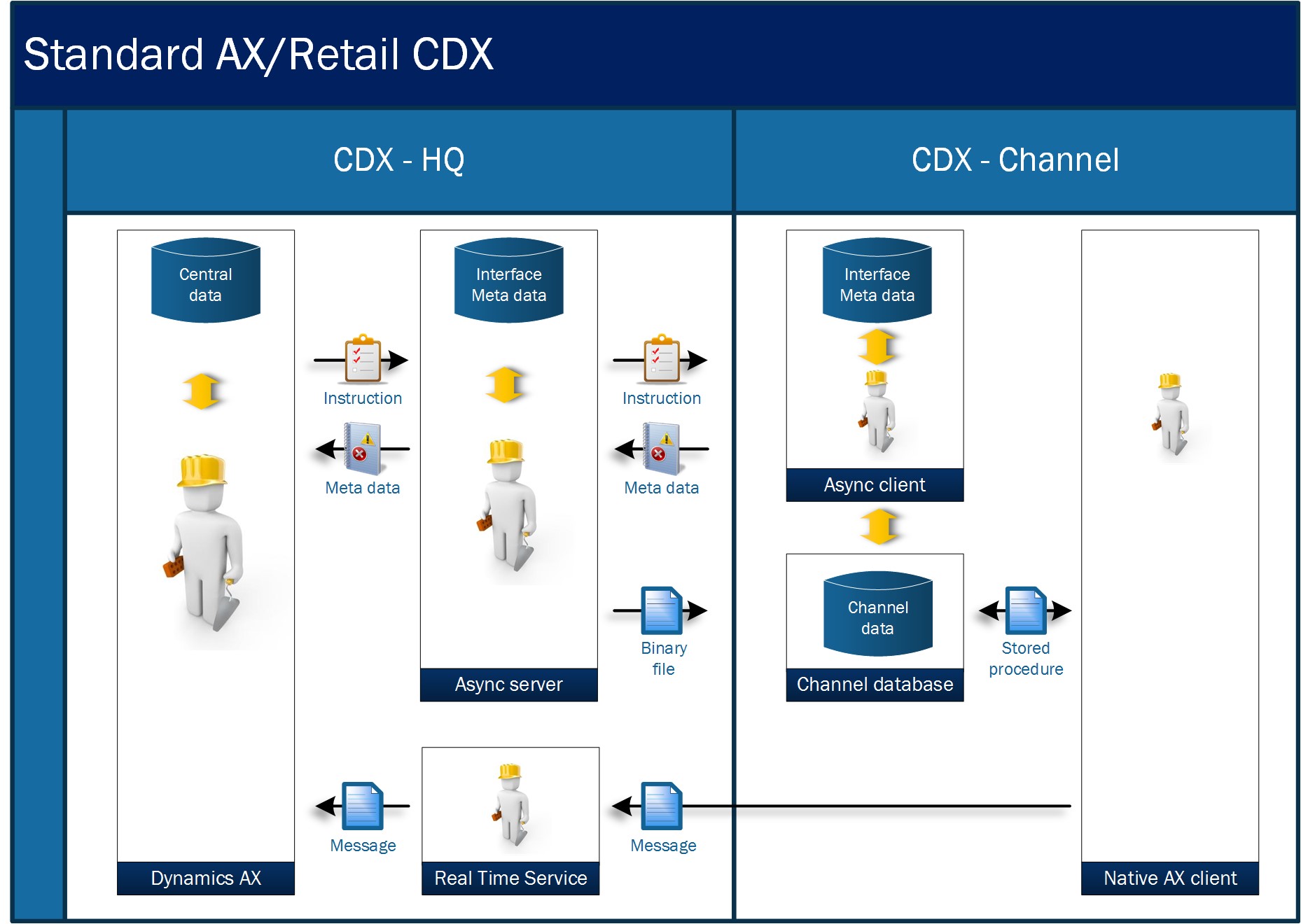 Legacy AX Archive
 Dynamics AX Retail third-party POS and e-commerce integration – Solution Design
How to hook middleware into Dynamics AX Retail for third-party POS and e-commerce, without compromising the integrity of Retail CDX.
Read →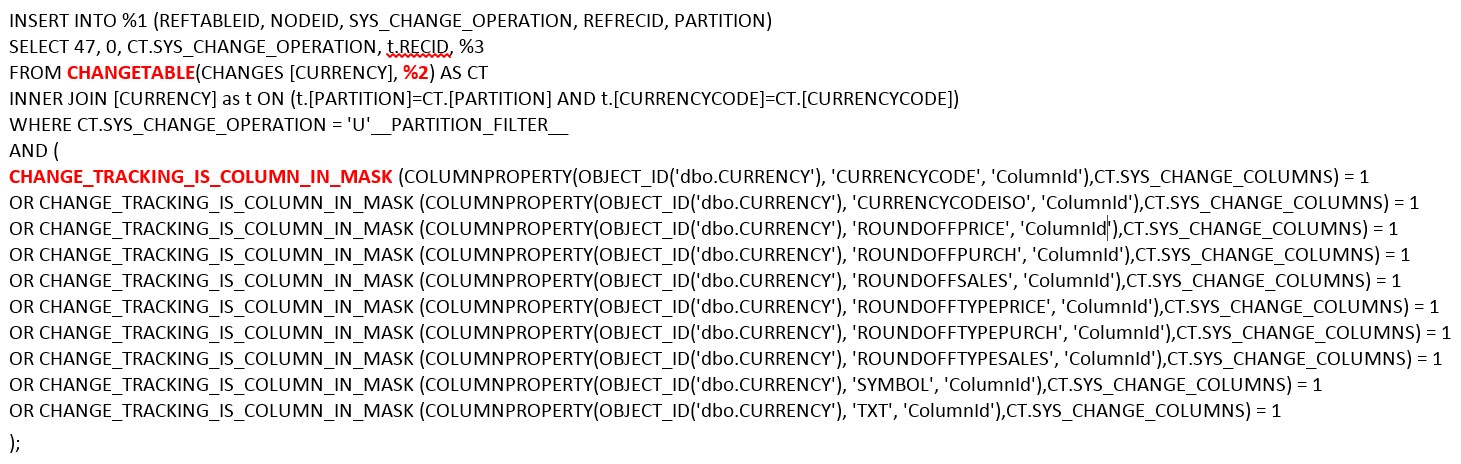 Legacy AX Archive
 Dynamics AX Retail third-party POS and e-commerce integration – Trigger mechanism
The trigger mechanism behind Dynamics AX Retail third-party integration — how change tracking on the AX HQ side signals middleware to act.
Read →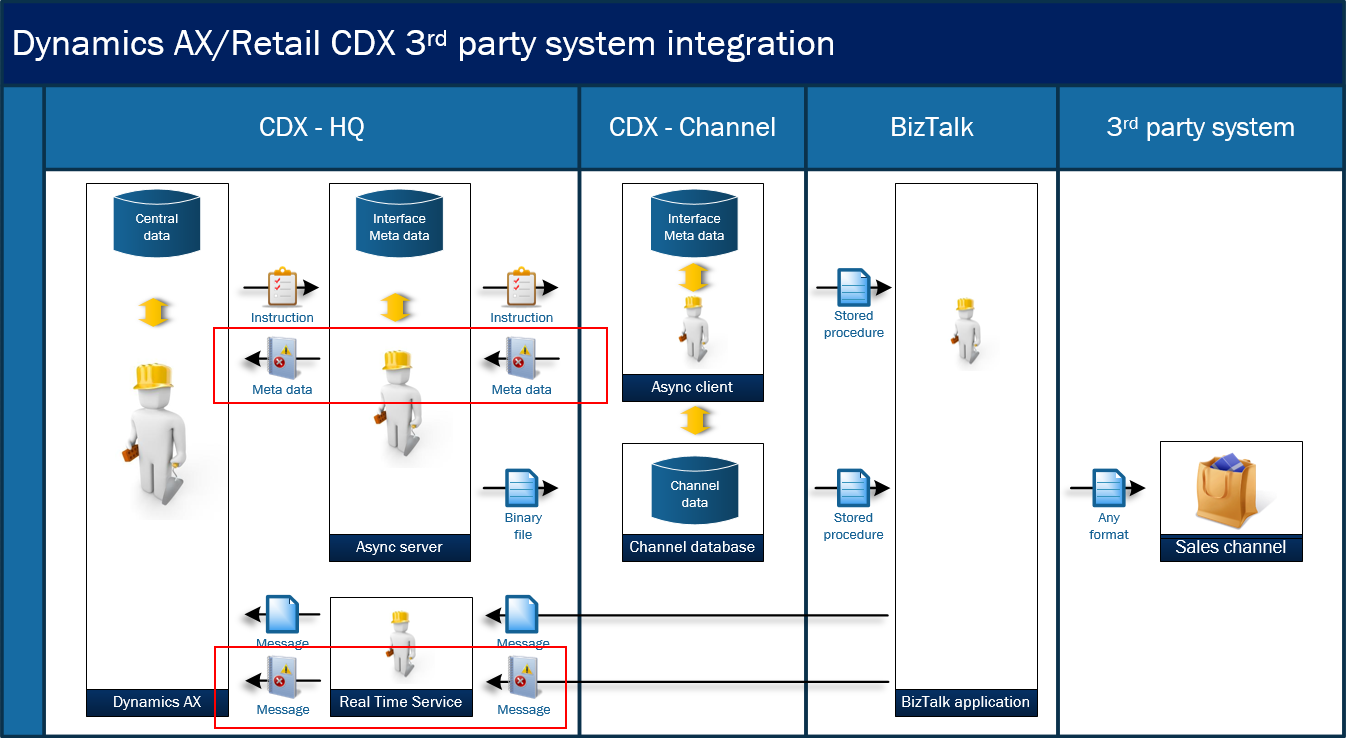 Legacy AX Archive
 Dynamics AX Retail third-party POS and e-commerce integration – Introduction
An introduction to integrating Dynamics AX 2012 R3 Retail with third-party POS and e-commerce platforms — and why so little had been written about it.
Read →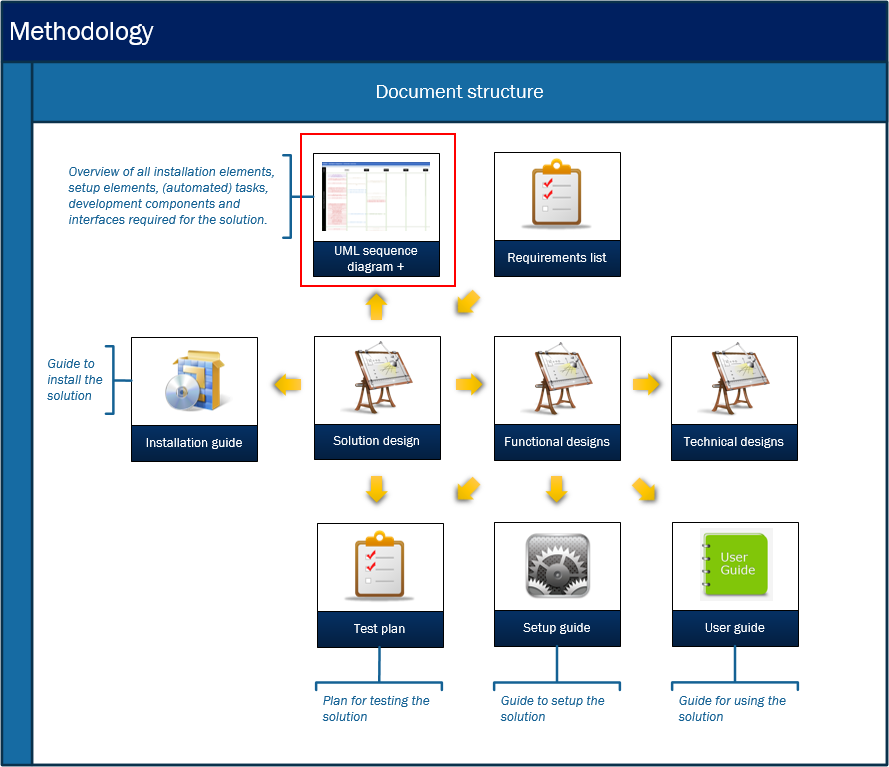 Legacy AX Archive
 Dynamics AX methodology: complex integration designs – How to keep overview
A way to document integration designs that span several systems, so the solution stays comprehensible as the project grows around it.
Read →No posts match those filters.